

Jetpac is a Singapore eSIM provider that adds extras to its data packs: in-app voice calls, free WhatsApp and Google Maps after your data runs out, unlimited hotspot and lounge access on delayed flights. Its website, app and support are rough, so it suits travelers happy to fix issues themselves.
Vefru score
Average of 8 categories from our own paid test and customer reviews.
- Purchase process5/10
- Mobile app5/10
- eSIM installation9/10
- Customer support5/10
- Speed test8/10
- Prices8/10
- Customer feedback9.4/10
- Coverage9/10
Bought from Jetpac recently? Leave a review
Key facts
 Advertised as 200+ destinations, but Jetpac's own coverage table lists 125 entries. Regional packs for Europe, Southeast Asia and Africa, plus a global pack.
 One reusable eSIM: buy more packs in the app or on the website. The app needs a connection, so buy your next pack before the data runs out.
 Hotspot allowed with no data limit, even on unlimited packs.
 LTE/4G with 5G in some places; we measured 50 to 100 Mbps down on a 5G signal. Unlimited packs slow to up to 1 Mbps after 3 GB per 24 hours.
Provider details
 Country
 Singapore
 Address
- Jetpac (Circles Global) Pte. Ltd., 63 Alexandra Terrace, #06-18 Harbourlink Innohub, Singapore 119937
 Trustpilot
- 4.7/5 3,528 reviews
 App Store
- 4.0/5 219 ratings
 Google Play
- 4.1/5 1,110 ratings
 Languages
- EnglishDeutschEspañolFrançaisItalianoNederlandsPolskiPortuguêsČeštinaעברית日本語한국어中文繁體中文
 Payments
-
 Credit or debit card
 Apple Pay
 Google Pay
 When the clock starts
- A pack activates when the eSIM connects to a network abroad with data roaming on. Unactivated packs stay in your account for 3 months from purchase.
 Plan lengths
- 1, 4, 7 and 30 days for per-GB country packs. Unlimited packs run from 1 to 30 days. The global pack also comes in 180-day and 365-day versions.
 Calls & SMS
- Data packs are data-only, with no number and no SMS. In-app voice packs: 5 minutes for $1.99, 15 for $4.99, 30 for $9.99, valid 30 days, calls to 50+ countries.
 Free trial
- Jetpac Eterna, a free eSIM with 100 MB plus free WhatsApp, Uber, Grab and Google Maps per trip, according to Jetpac's blog.
 Support
- WhatsApp 24/7, email with replies within 24 hours, a help center request form and in-app chat. No phone line.
Pros and cons
 Free WhatsApp chat, Google Maps, Uber and Grab keep working after your data runs out, on packs of 3 GB or more.
Hotspot with no data limit, even on unlimited packs.
In-app voice packs from $1.99 for 5 minutes to 50+ countries, and you can link your own number to call from abroad.
Free airport lounge access through SmartDelay when a registered flight is delayed by 1 hour or more.
Free WhatsApp chat, Google Maps, Uber and Grab keep working after your data runs out, on packs of 3 GB or more.
Hotspot with no data limit, even on unlimited packs.
In-app voice packs from $1.99 for 5 minutes to 50+ countries, and you can link your own number to call from abroad.
Free airport lounge access through SmartDelay when a registered flight is delayed by 1 hour or more.
 The website loads slowly and the checkout is confusing, and the eSIM arrives only by email, not in your account.
Data cuts off the instant the pack is used up, and the app cannot sell you a top-up once you are offline.
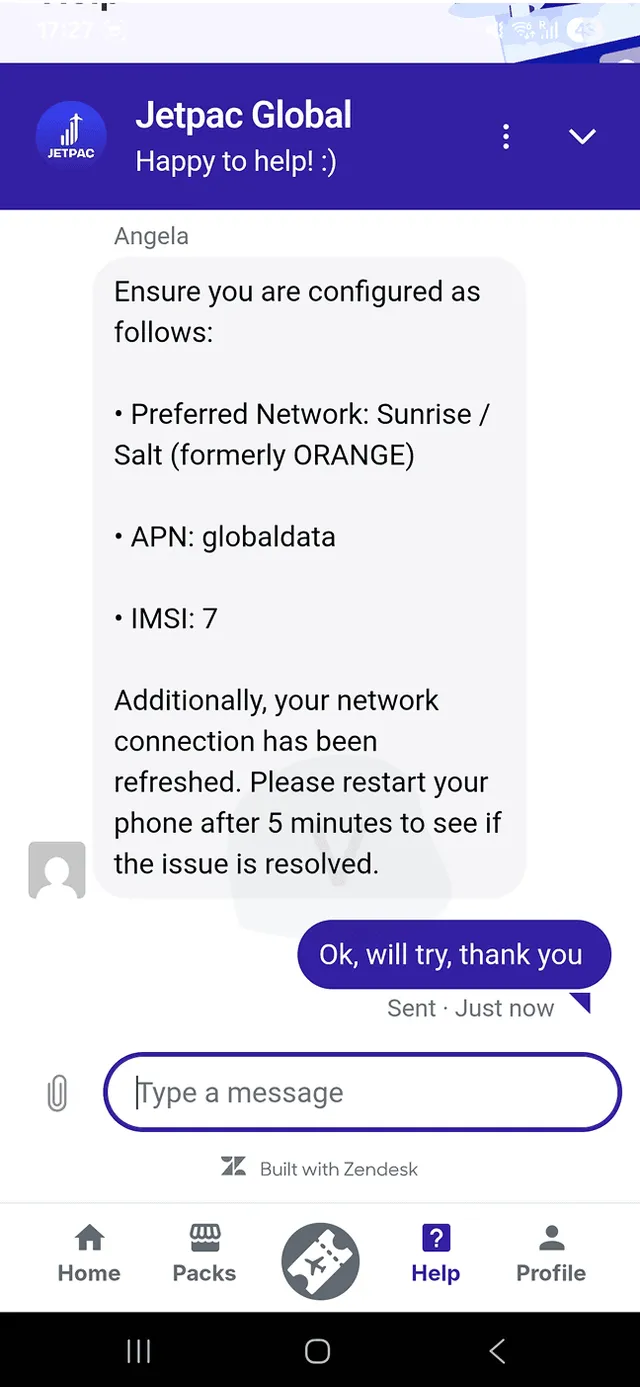
Support took 8 minutes for a first reply in our test and asked for APN, network settings and the IMSI number.
Fixed-data packs of 3 to 20 GB are among the dearest in our comparison, above all in Europe and North America.
The website loads slowly and the checkout is confusing, and the eSIM arrives only by email, not in your account.
Data cuts off the instant the pack is used up, and the app cannot sell you a top-up once you are offline.
Support took 8 minutes for a first reply in our test and asked for APN, network settings and the IMSI number.
Fixed-data packs of 3 to 20 GB are among the dearest in our comparison, above all in Europe and North America.
Jetpac eSIM in our hands
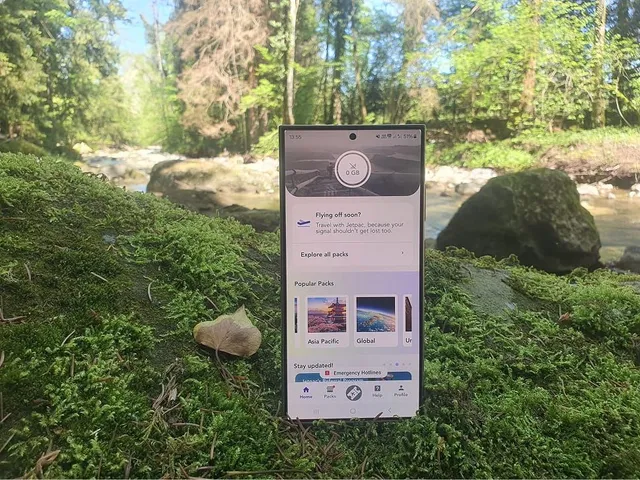
This Jetpac review is based on an eSIM we bought with our own money. We installed it on our Android test phone and used it until the data ran out. Jetpac is a Singapore provider that sells one reusable travel eSIM with per-GB and unlimited packs, in-app voice calls and free lounge access on delayed flights. It scored 7.3 out of 10 in our test.
The score hides a split. Installation and speed were strong, and customers rate Jetpac 4.7 on Trustpilot. The website, the app and the support chat all need work, and fixed-data prices sit near the top of our comparison.
Below you will find every step of the test, Jetpac's prices against 13 other providers and what travelers report about its coverage. We also read its terms and conditions. Use the table of contents to jump to what you need.
Article Contents
Jetpac purchase process

Purchase process
Slow website, a misleading See details button and pop-ups. Google sign-in and Google Pay helped, but the eSIM came only by email.
Verdict: Buying works, but the website makes it harder than it should be: slow loading, a misleading "See details" button and pop-ups. Google sign-in and Google Pay rescue the experience on Android.
How to buy a Jetpac eSIM in 5 steps
You can buy on jetpacglobal.com or in the Jetpac app. We bought on the website, because our comparison tool sent us straight to the plan page.
- Pick a destination. Choose a country, a region (Europe, Southeast Asia, Africa) or the global pack. The website loaded slowly for us, so we had to find the country by hand.
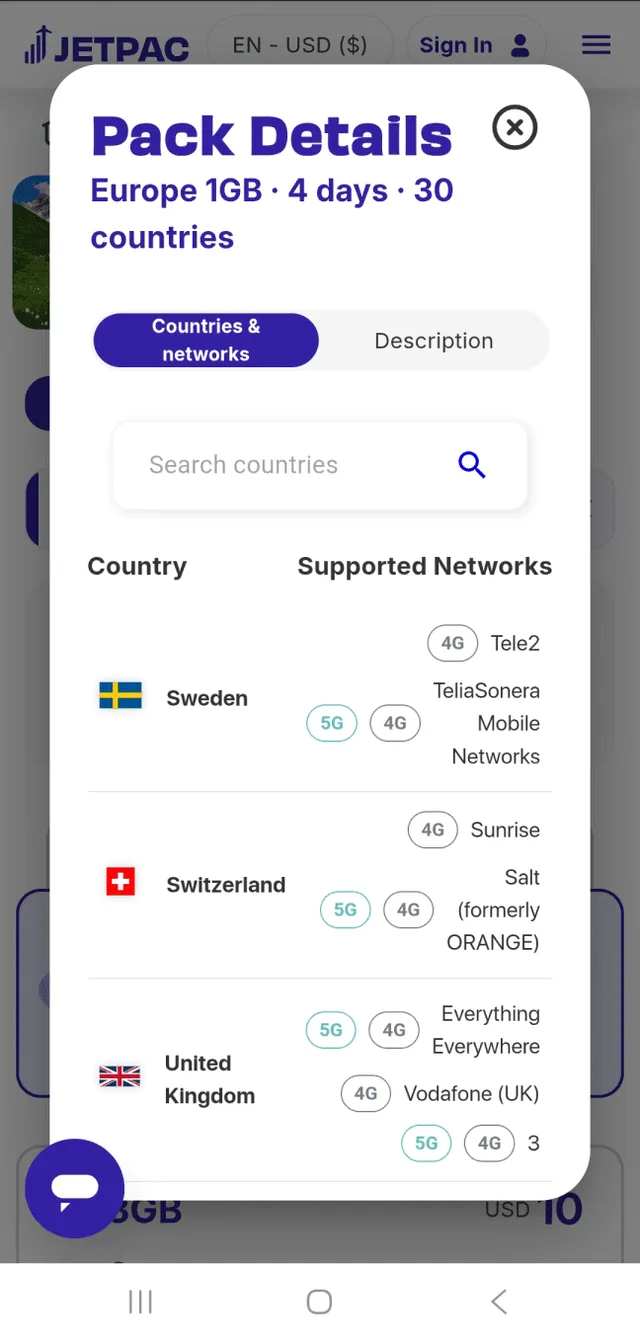
- Choose a pack. Each destination has Unlimited packs in several lengths or a per-GB pack. Tap the plan card itself: the "See details" button only opens a list of covered countries.
- Sign in. Google sign-in worked for us on Android. Jetpac's own pages do not list the sign-in options; its blog only says to sign up by filling in your info.
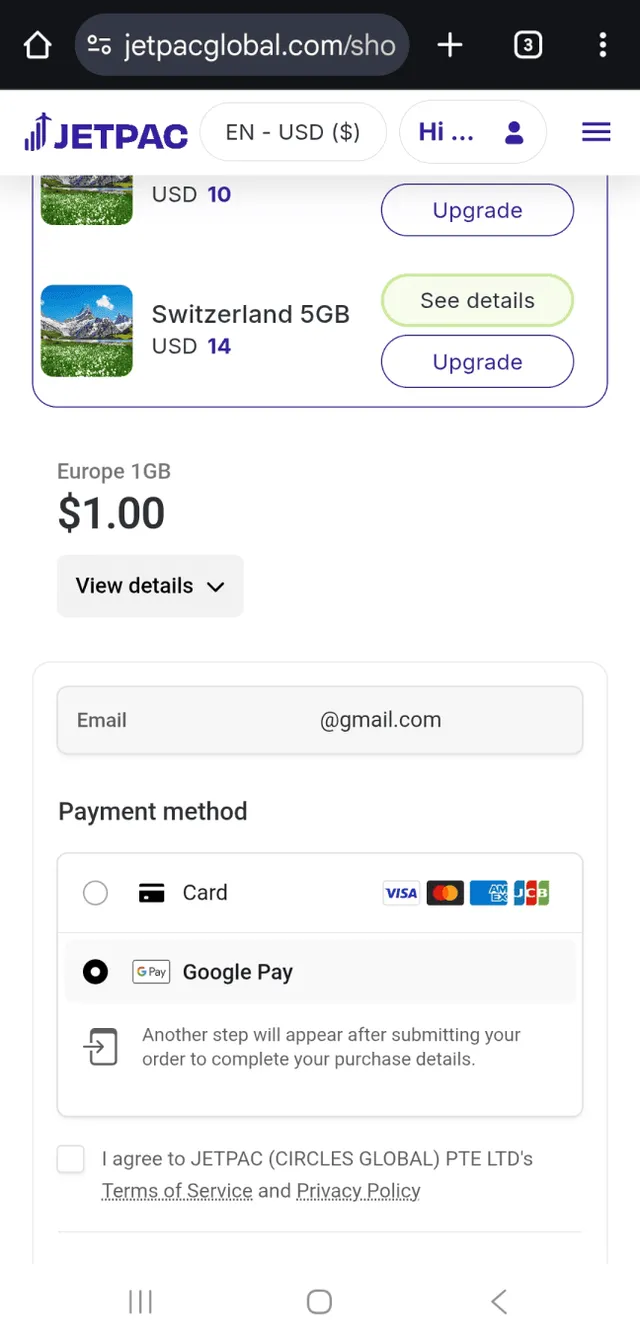
- Pay. Product pages show Visa, Mastercard, American Express, Apple Pay and Google Pay [3]. Prices are in US dollars. PayPal is not mentioned anywhere on the site.
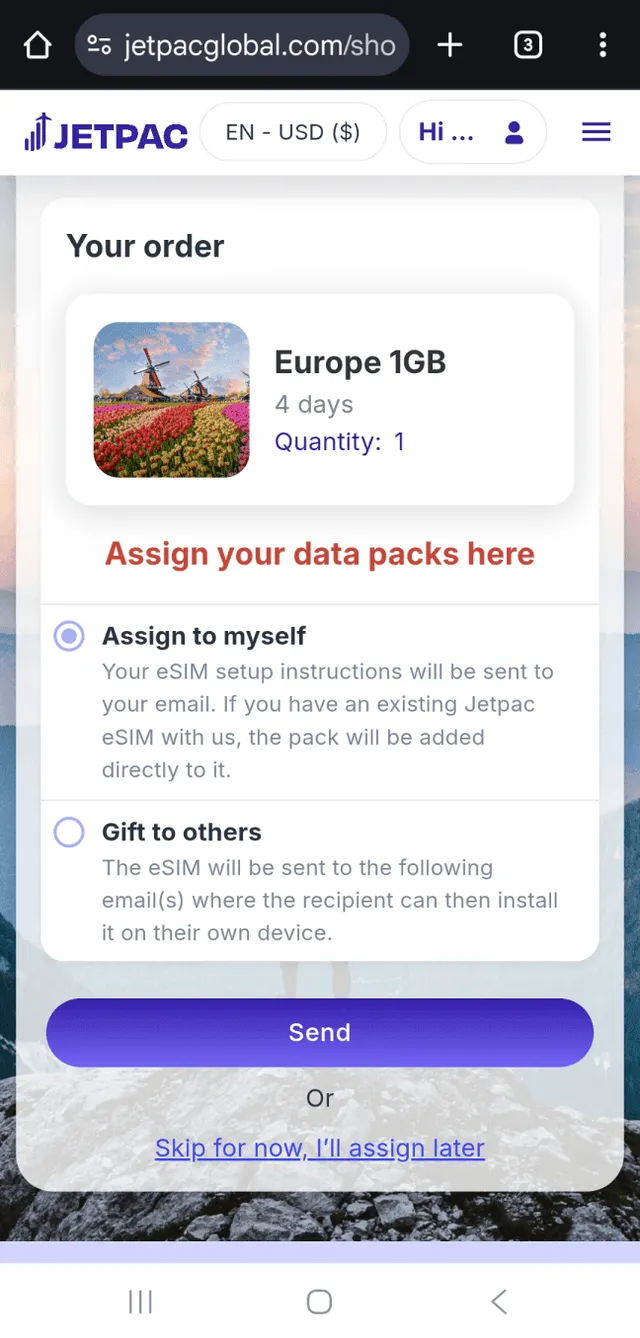
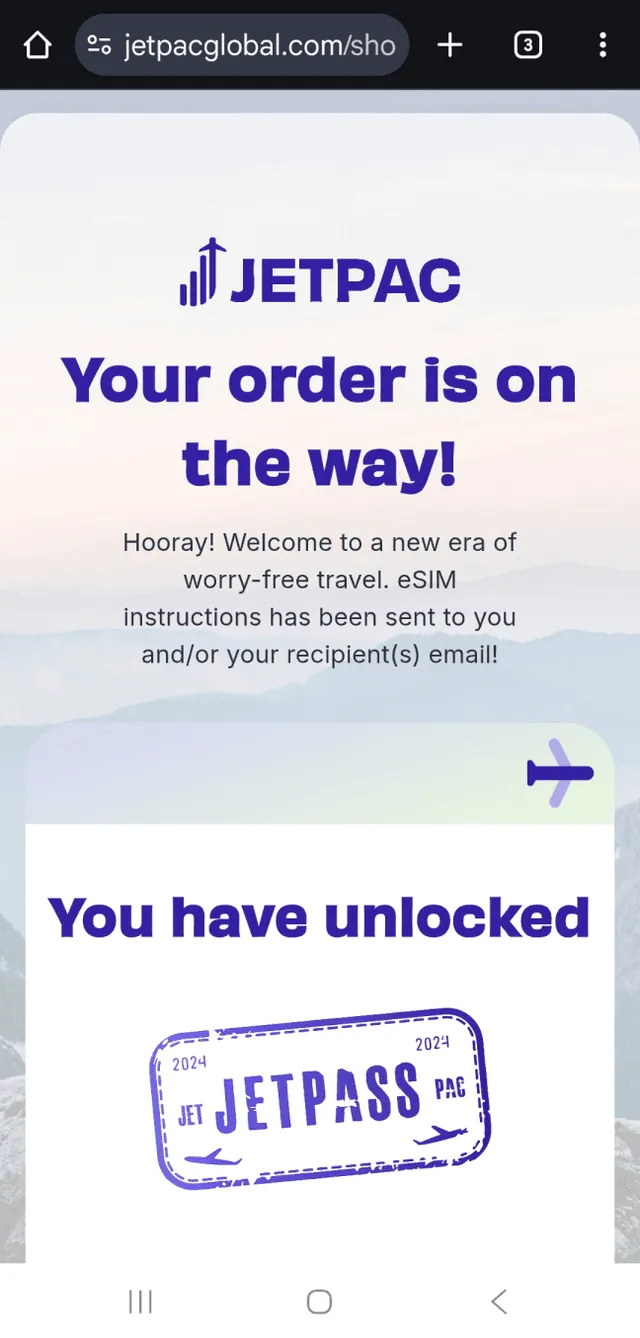
- Assign the eSIM. Choose "assign to myself" or "assign to someone else". The eSIM and the instructions arrive by email; nothing appears in your account on the website.
What we found when buying from Jetpac
- Slow website. Pages took a long time to load, which is why the redirect from our comparison tool did not land us on the plan right away.
- Misleading button. "See details" looks like the way to buy, but it only lists covered countries. You buy by clicking the card area around the button, which is counter-intuitive.
- Pop-ups. WhatsApp and web chat widgets jump at you from nowhere, and after a while a sign-up pop-up appears even while you are still looking at the plans.
- Google helps. Google sign-in and Google Pay made login and payment quick, at least on Android.
- Email only. After paying we got a confirmation that the eSIM was on its way by email. Nothing shows up in the website account, which makes creating an account feel pointless.
- Assign to someone else. This option only makes sense once you learn that the app login must match the purchase email. For a gift it saves forwarding the email.
Jetpac payment methods and currencies
Jetpac publishes no payment-methods article; the list below comes from the logos on its product pages and from our own purchase. Pay-later options are not possible, according to its help center.
| What | Jetpac, as of October 2026 |
|---|---|
| Cards | Visa, Mastercard and American Express logos on product pages; debit or credit is not stated [3] |
| Wallets | Apple Pay and Google Pay [3]. Google Pay worked for our data pack but was not available for the voice pack |
| PayPal, Klarna, crypto | Not mentioned on any Jetpac page |
| Currency | USD is the only choice in the website selector. The App Store listing names 13 currencies, from USD and EUR to JPY, INR and PLN |
| Receipt | Emailed within 24 hours of purchase [1] |
| Unactivated packs | Kept in your account for 3 months from purchase [3] |
Jetpac mobile app

Mobile app
Three install options and a useful voice feature, but rough design, a usage counter that needs manual refresh and no top-up once offline.
Verdict: You cannot avoid the app: it installs the eSIM, shows usage, sells voice packs and registers flights for lounge access. It does all of that, but with rough edges, a lagging data counter and no way to buy data once you are offline.
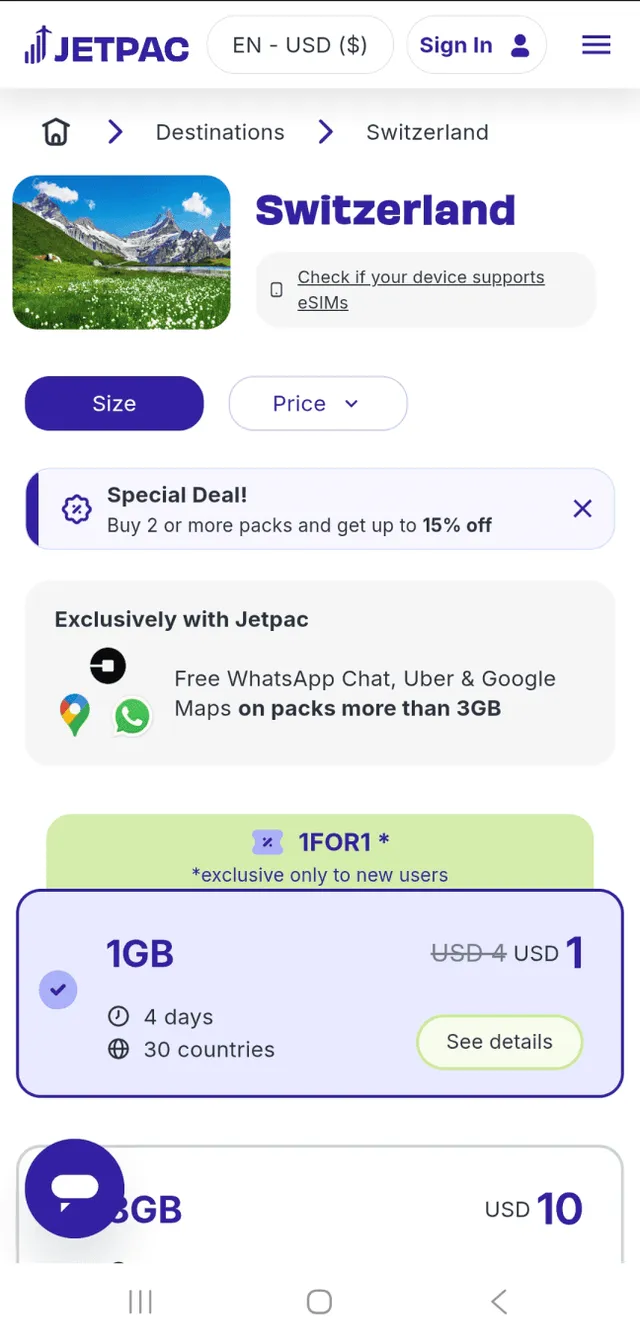
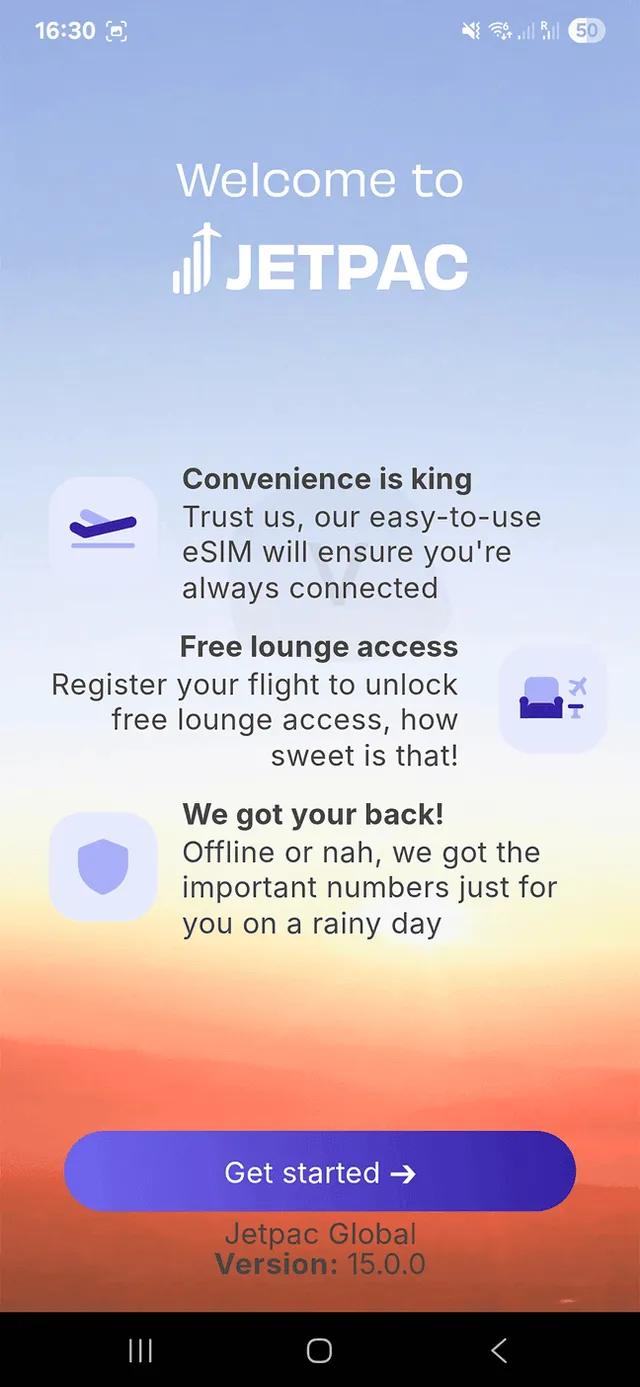
The email with your eSIM starts with one instruction: download the Jetpac app and log in with the account you used to buy. Right after installation the app shows its Voice feature and a button to install the eSIM. Jetpac's terms say the app is available in certain countries only [1].
Jetpac app: what worked and what did not
- Usage lags. After our speed test the app still showed 1 GB left. We had to refresh by hand, twice, before the counter was correct.
- Needs a connection. The app does not work without internet, and Jetpac has no zero-rated traffic (free data for its own app). Once your data runs out you cannot buy more from the app, so buy the next pack before you hit zero or do it on Wi-Fi.
- Czech and Polish included. Per Jetpac's App Store listing the app comes in 14 languages, among them Czech and Polish. The help center is in English, Korean and Traditional Chinese only.
- Ratings differ from the claim. The website says 4.3 on both app stores. When we read the stores, Google Play showed 4.1 from 1,110 ratings and the App Store 4.0 from 219 ratings.
Jetpac voice calls from the app: our test
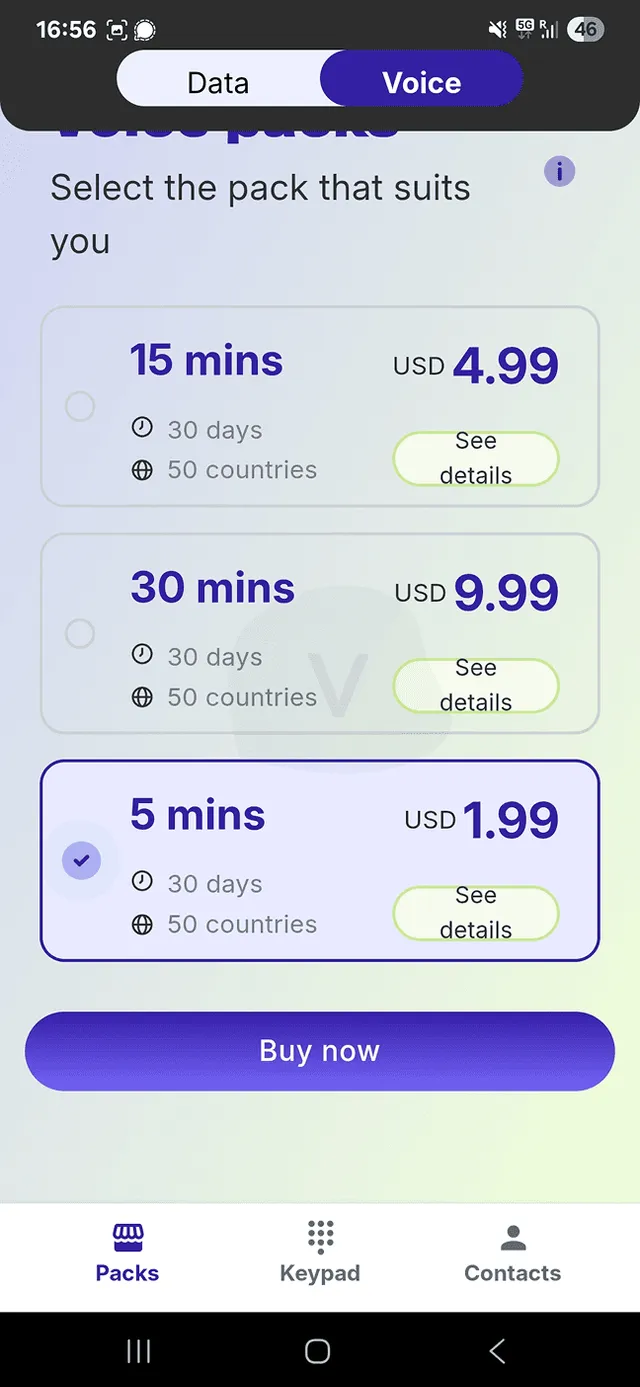
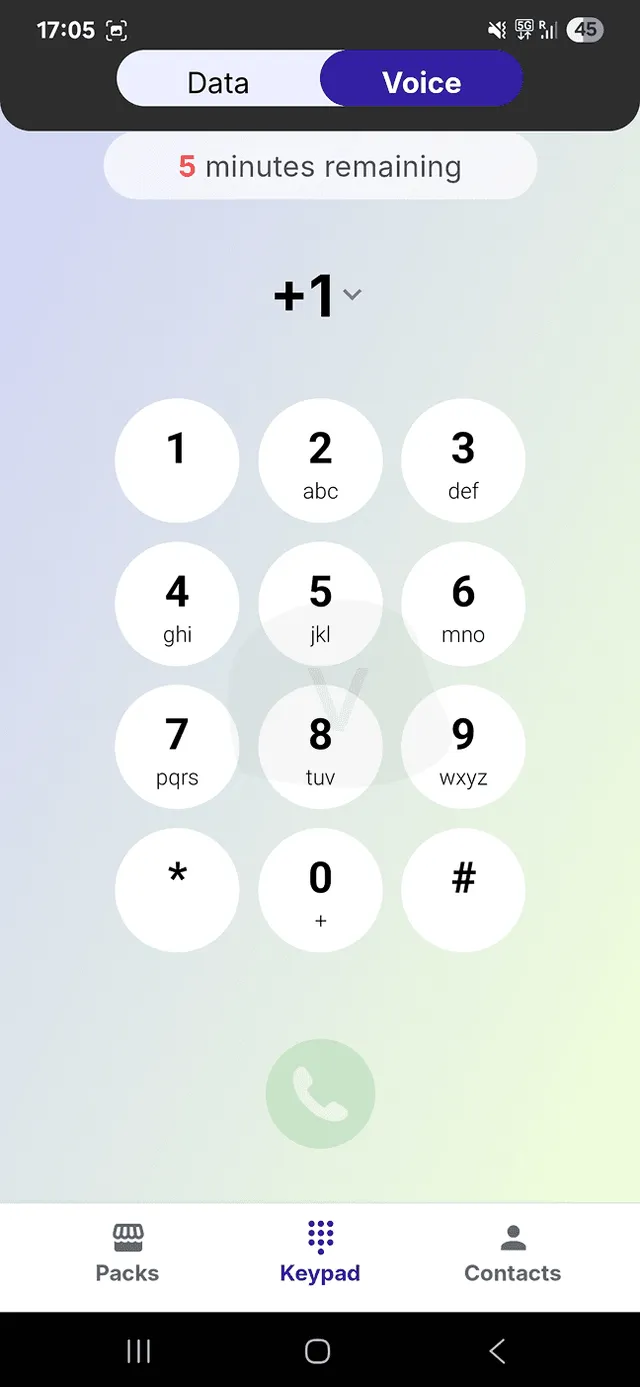
The data eSIM is data-only, with no phone number and no SMS [3]. Voice packs are a separate product: you call from the app's dialer and get a temporary number for it [5]. We bought the smallest pack to try it.
| Voice pack | Price | Validity |
|---|---|---|
| 5 minutes | $1.99 | 30 days [5] |
| 15 minutes | $4.99 | 30 days [5] |
| 30 minutes | $9.99 | 30 days [5] |
Jetpac gives up to 15% off when you buy more than one pack. Its FAQ says calls reach 50+ countries, while the pack headers say 99 countries [5]. In our test the covered list was a mix of Europe, Asia, Canada, Australia and others.
- Rough design. Every contact shows two numbers (with and without spaces) and it is unclear which to use. You can favorite contacts, but it is unclear where favorites appear. The SEARCH label in the bar is cut off, and text did not fit into the buttons on the purchase screen.
- Card only. Google Pay was not available for the voice pack, unlike for the data plan. We had to type our card details by hand.
- Your own number. You can link your own number to the Jetpac voice service, so in theory you can call from abroad with your regular number and skip roaming fees.
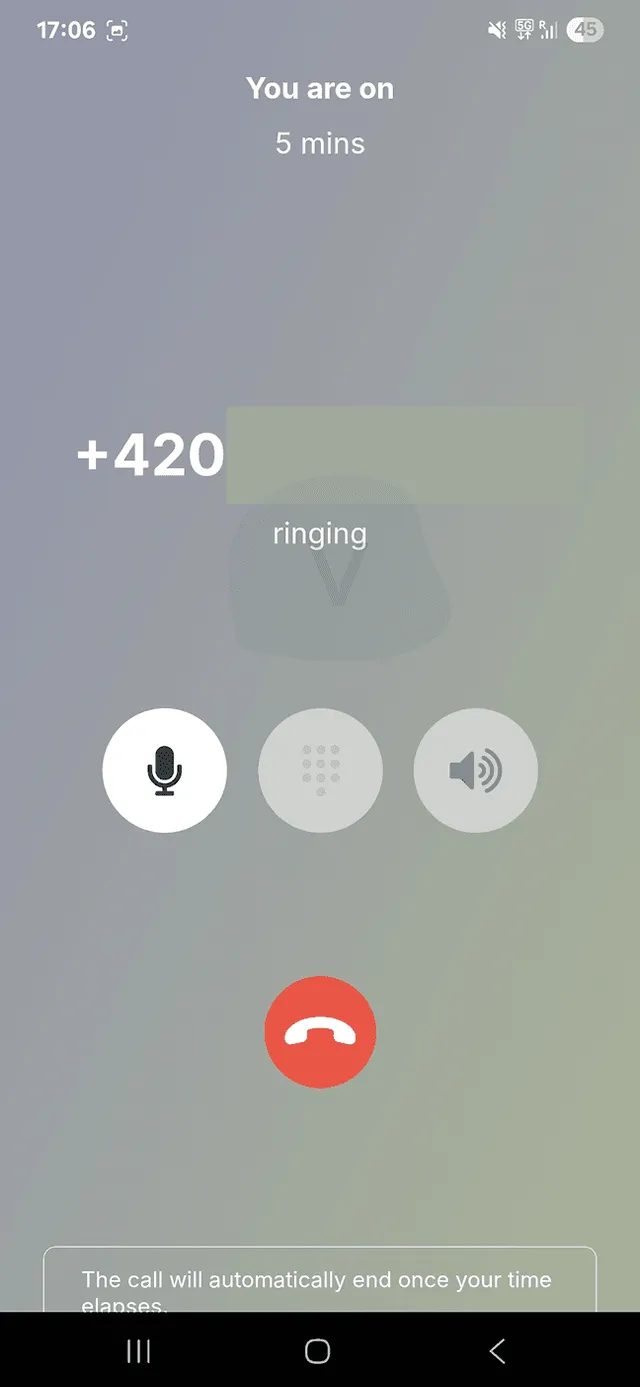
- Wrong caller ID. The call to a colleague went through with acceptable voice quality. But although we had selected Czech Republic as the region, the recipient saw a number from Alabama, USA. Many people ignore unknown US numbers, especially in Europe.
Jetpac SmartDelay: free lounge access when your flight is delayed
Jetpac's best-known extra is set up in the app. Buy a data pack, register your flight, and if it is delayed you get a lounge voucher. The rules below come from Jetpac's help center [7]; none of them appear in the terms and conditions.
- Threshold. A gate delay of 1 hour or more, as reported by the airline to FlightStats. Several announcements can add up to the threshold.
- Register in time. Up to 364 days ahead, and no later than 24 hours before departure. Flight times are shown in UTC.
- Who and how many. You plus 1 registered companion, for up to 2 flights per data pack. Each leg of a connecting trip counts separately.
- Voucher. A LoungeKey PDF per passenger by email, with a QR code. Entry can be refused if the lounge is full or closed, or if the name does not match the boarding pass.
- Not covered. Cancellations and flights moved to the next day. The perks page says a cancellation qualifies; the help center says it does not.
Paid lounge passes and Fast Track are a separate DragonPass product with codes valid for 9 months and no refunds after purchase, per the help center. Their prices were not shown on any page we checked.
Jetpac eSIM installation

eSIM installation
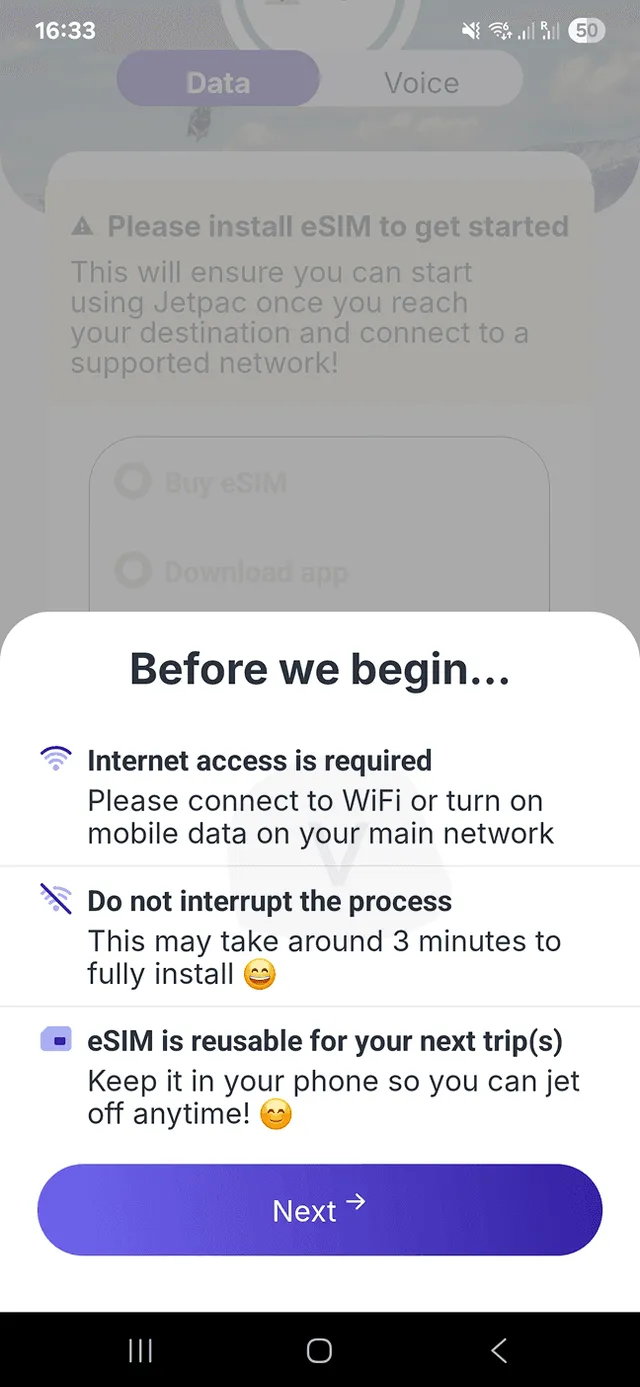
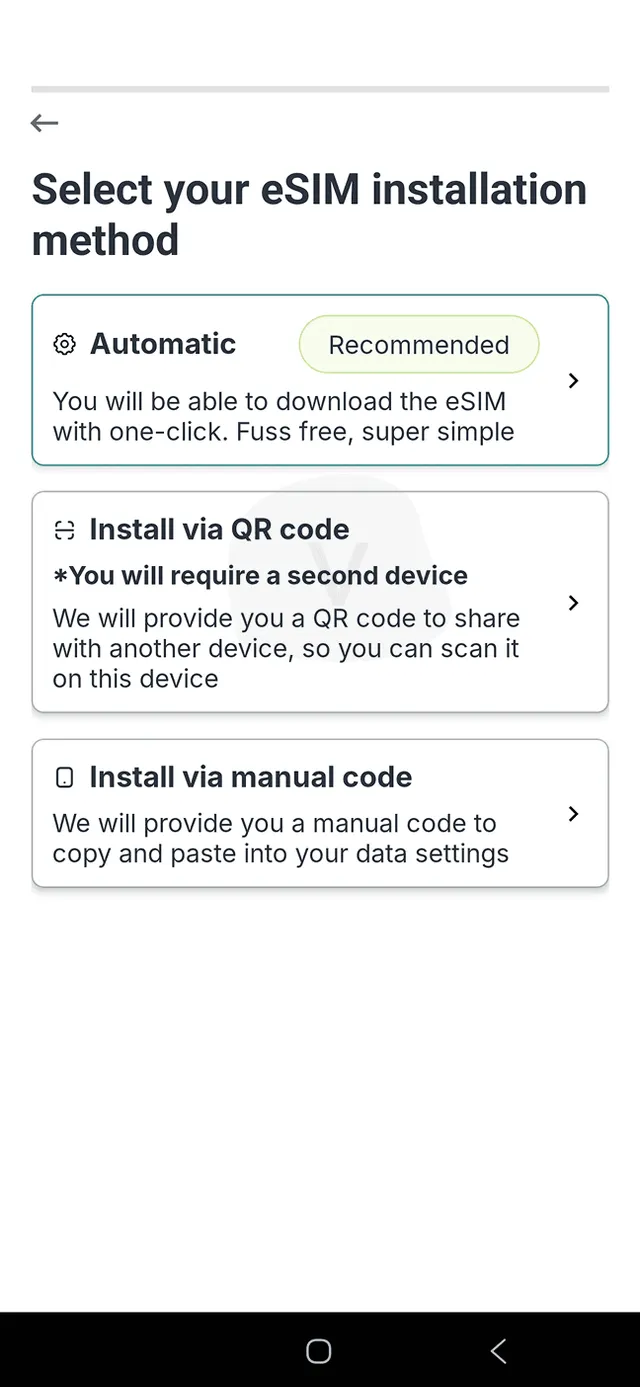
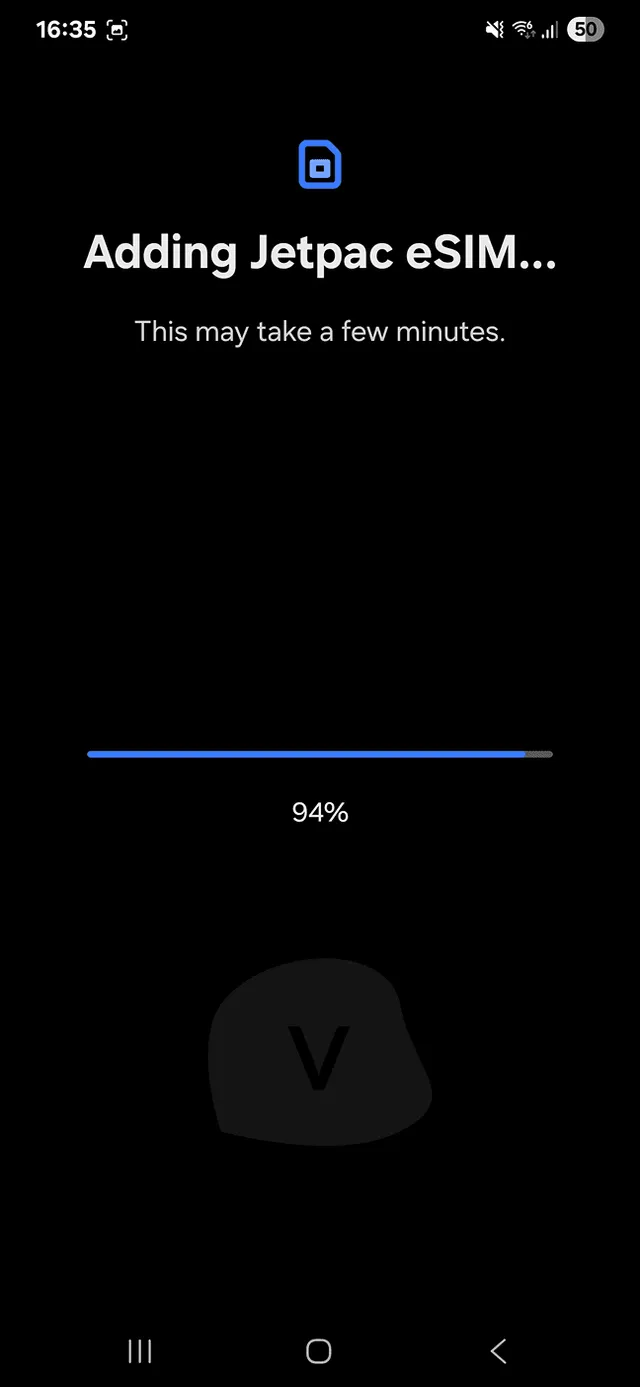
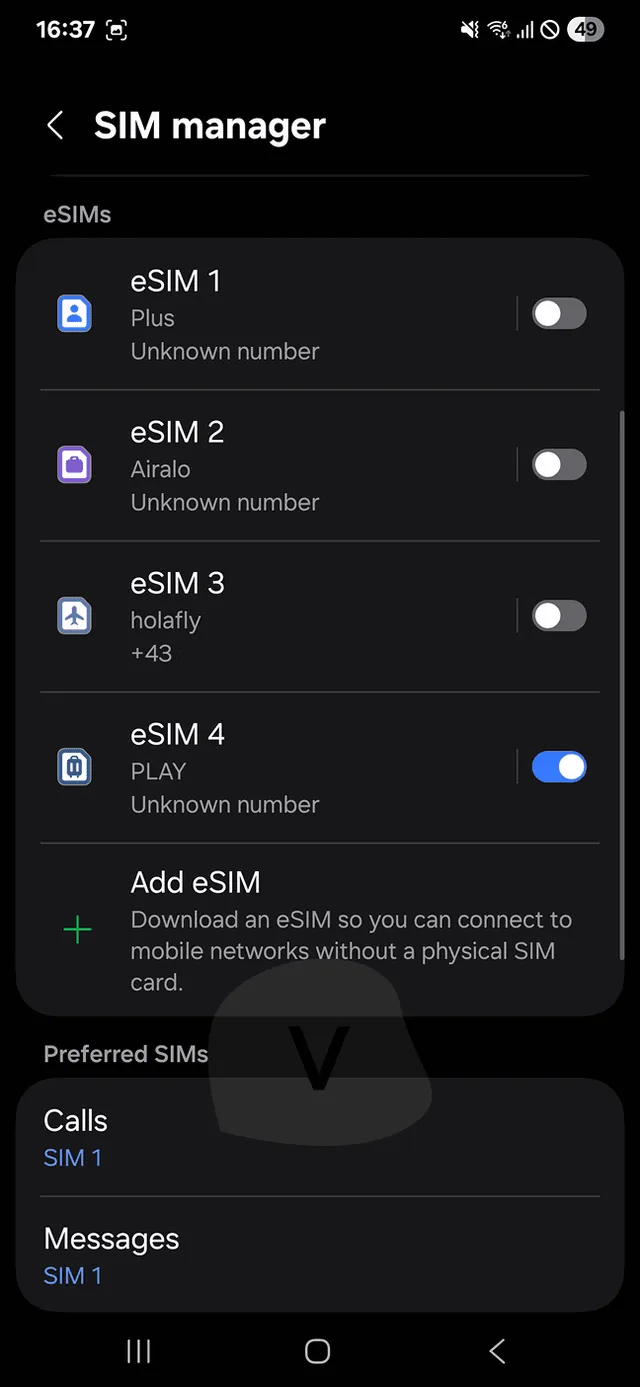
The automatic option installed the eSIM in a few taps. The profile shows up as Play, not Jetpac, which can confuse at first.
Verdict: The best part of Jetpac. The automatic option in the app installed the eSIM after a very simple setup, and a 5G icon appeared once we switched off the physical SIM.
How to install the Jetpac eSIM in 5 steps
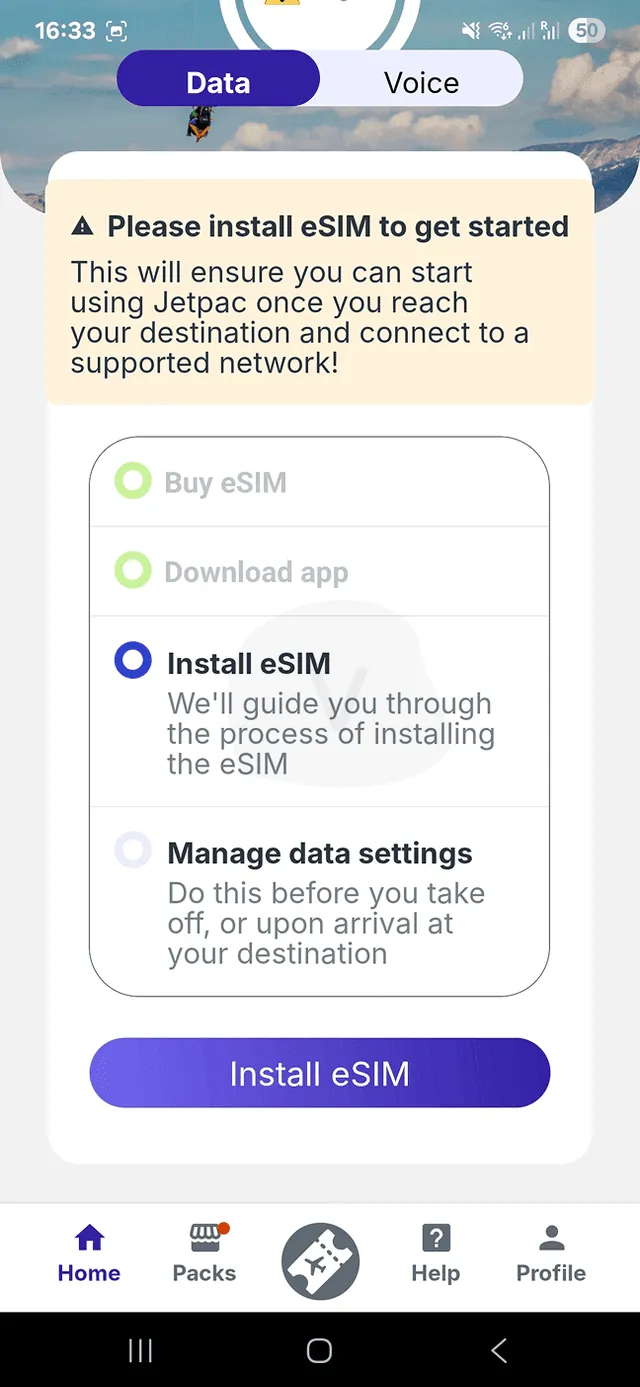
- Open the email. It holds the QR code and the instructions. The first instruction tells you to download the app and log in with the purchase account.
- Tap Install eSIM in the app. There are three options: Automatic (recommended), via QR code, or via manual code.
- Choose Automatic. We did, and after a very simple setup the eSIM was installed and ready to use. Do this at home on Wi-Fi, as Jetpac's own guide advises.
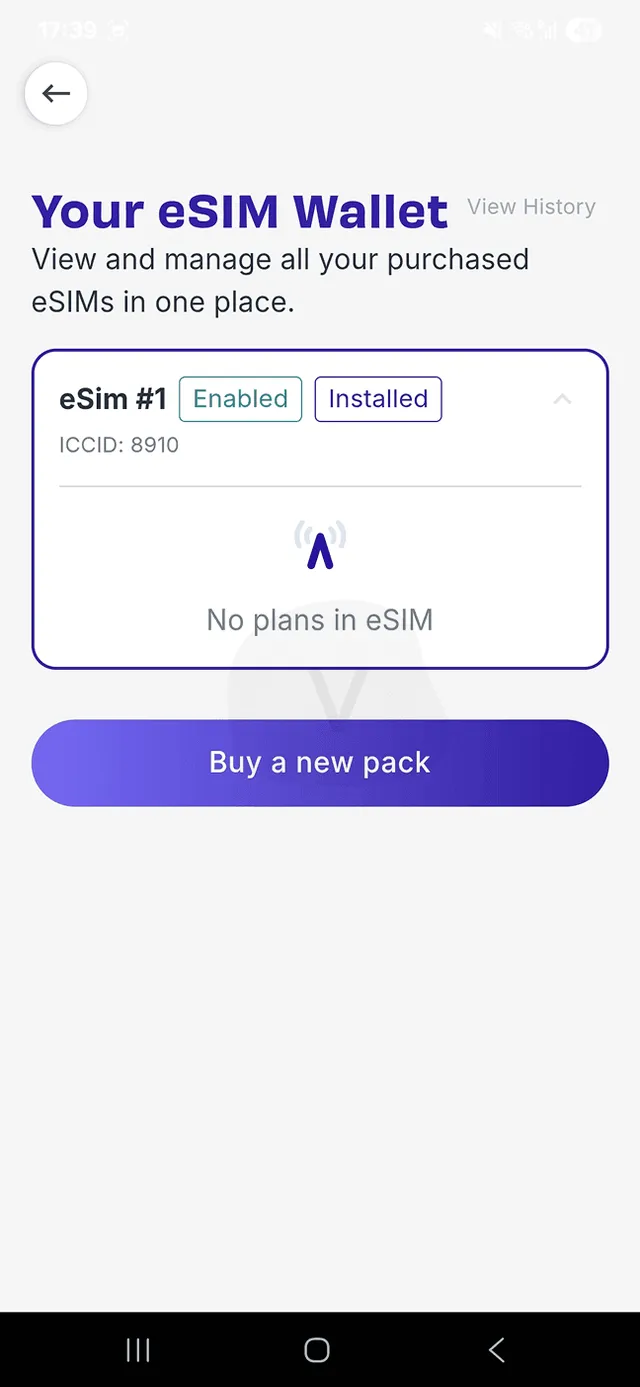
- Check the new line. The eSIM shows up as Play, not Jetpac. Turn data roaming on for it; the pack activates when the eSIM connects to a network abroad, not at installation [9].
- If data drops, switch off your physical SIM. Our connection worked for a minute, then stopped. Turning off the physical SIM fixed it and brought up a 5G mark.
Jetpac installation: what to know before you start
- No second device needed. The app says the QR option requires a second device. It does not: you can install from a screenshot, for example, or follow our guides for adding an eSIM on an iPhone and on a Samsung.
- Unlocked and compatible. Jetpac's compatible-devices page lists iPhone XS/XR and newer plus the SE (2020, 2022), cellular iPads, Pixel 2 and later, and models from Samsung, Huawei, Honor, Motorola, OnePlus, Nokia, OPPO, Vivo, Xiaomi and others; mainland China iPhones and most Hong Kong and Macao iPhones are excluded. Its terms make you responsible for checking [1]. Our list of phones with eSIM helps if you are unsure.
- One eSIM for every trip. Keep the profile on your phone and buy new packs on it; unactivated packs wait in your account for 3 months [3].
- If something fails. The help center has APN and IMSI checking guides for iOS, Samsung and Pixel, and articles on moving the eSIM to a new phone. Our eSIM troubleshooting guide covers the general fixes.
Jetpac customer support
Customer support
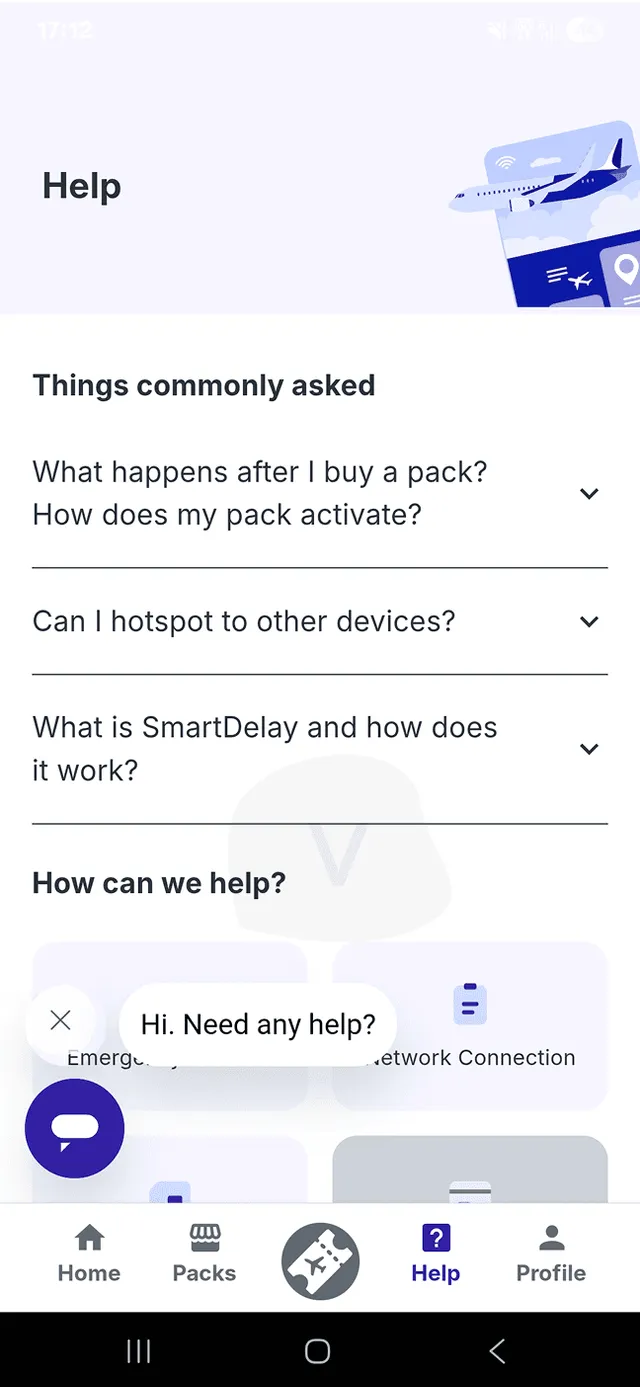
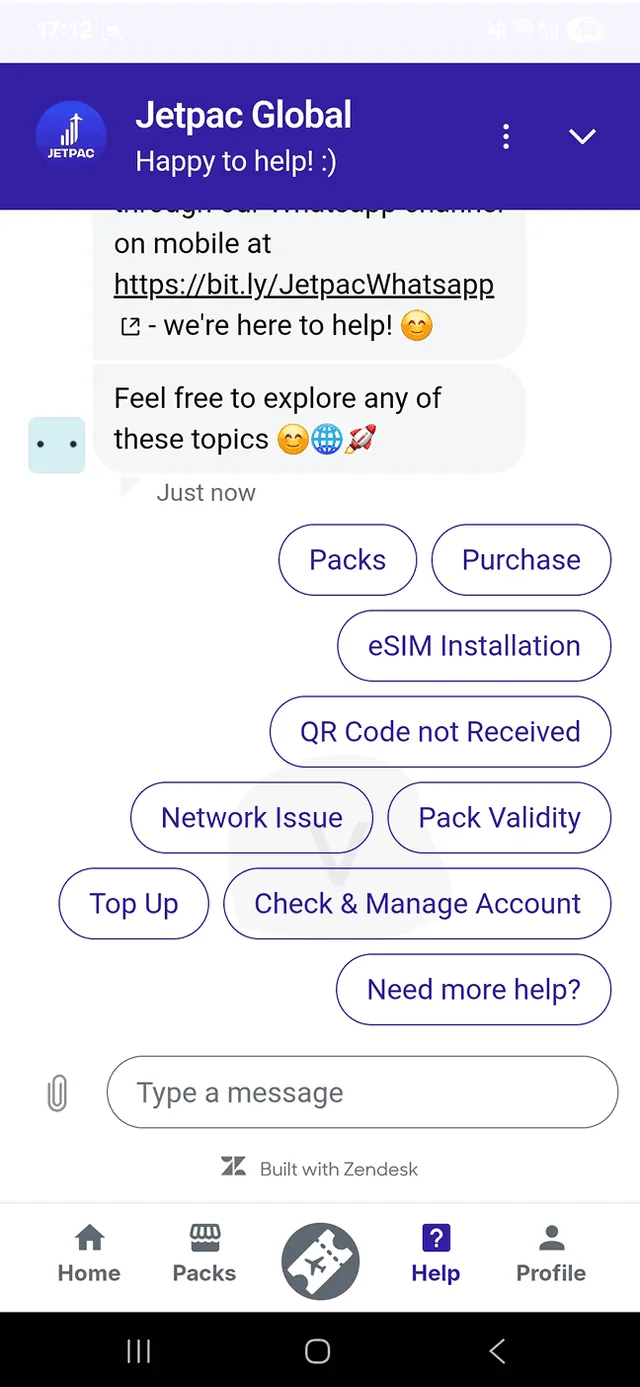
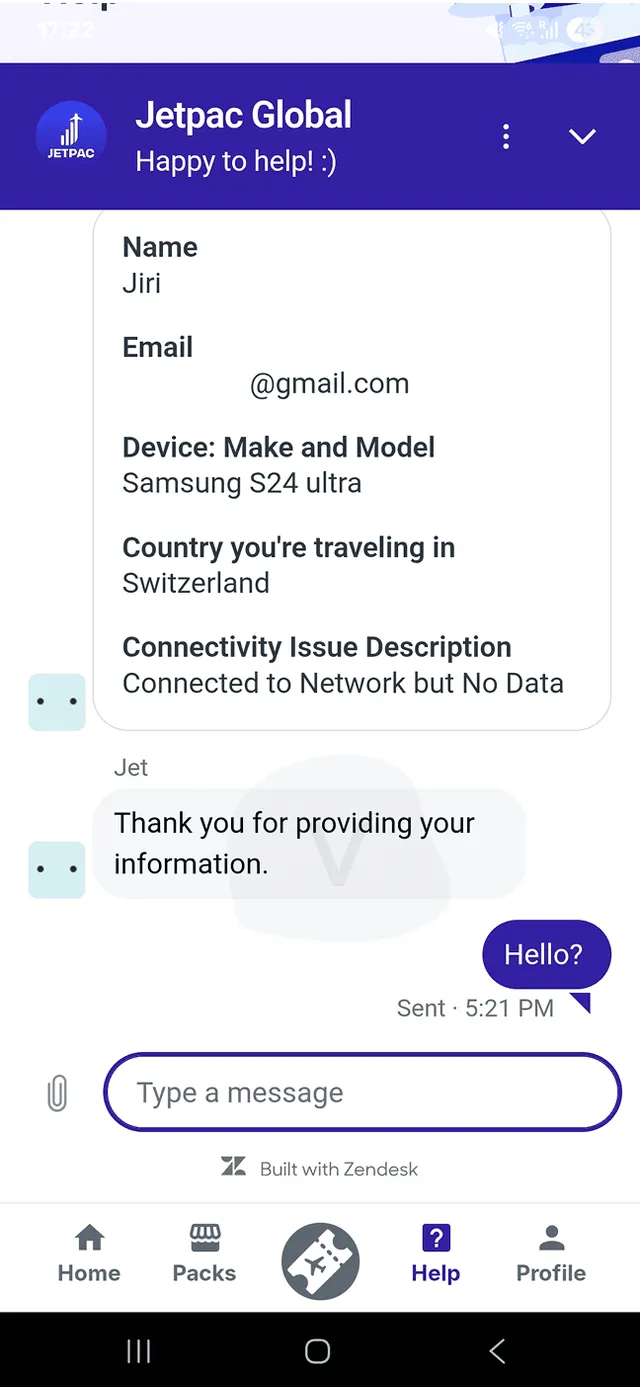
In-app chat reached a human, but the first reply took 8 minutes and the tone was technical, asking for APN and IMSI details.
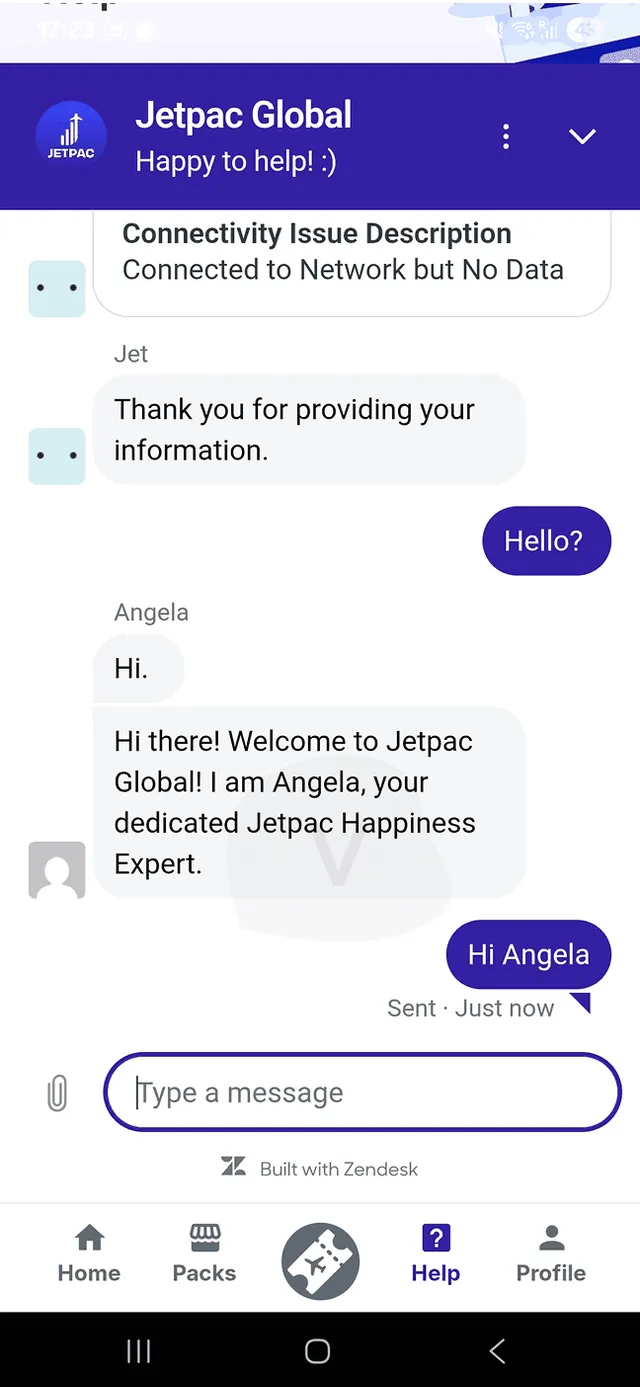
Verdict: A human answers, but you wait: 8 minutes for the first reply and about 2 minutes per follow-up in our test. The tone was technical and not very welcoming.
Our Jetpac support test, minute by minute
- Open the in-app chat. A bot asks for your name and your issue, then hands you to a human operator.
- 8 minutes. That is how long the first human reply took.
- About 2 minutes per follow-up. Each later reply took around 2 minutes.
- Technical questions. We were asked for the APN (the network access point name), the network settings and the IMSI (the SIM's identity number). The replies were not very welcoming.
How to contact Jetpac support
As of October 2026, Jetpac lists these channels on its contact page and in its terms [8]. There is no live chat on the website and no phone line for support; the privacy policy lists a Singapore hotline for marketing opt-outs only.
| Channel | Details |
|---|---|
| +1 (815) 853-8722, available 24x7 [8] | |
| [email protected], reply within 24 hours [8] | |
| Help center | jetpacglobal.zendesk.com, in English, Korean and Traditional Chinese, with a request form and a forum |
| In-app chat | Customer Happiness team, in certain countries [1] |
When we tested, the website also had a chat widget that popped up on its own. Customers on Trustpilot praise WhatsApp replies within minutes, but say harder problems can take hours or days with the same advice repeated. See how that compares with the best eSIM support we tested.
Jetpac speed test
Speed test
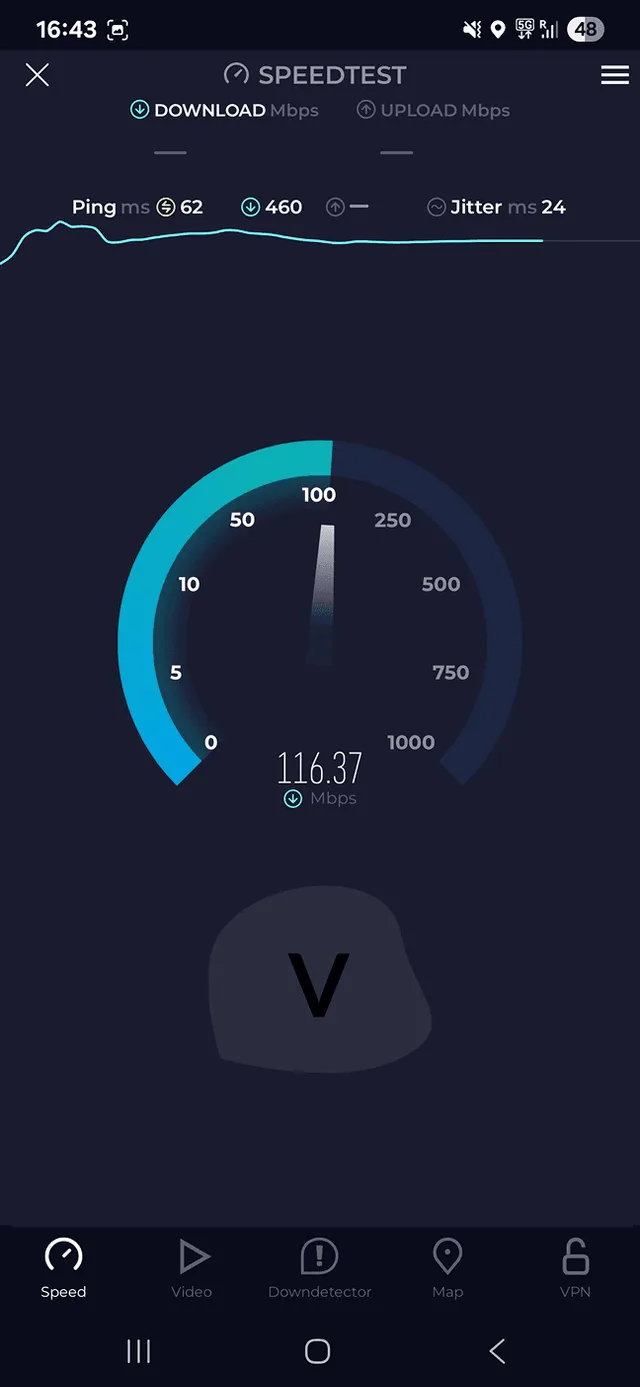
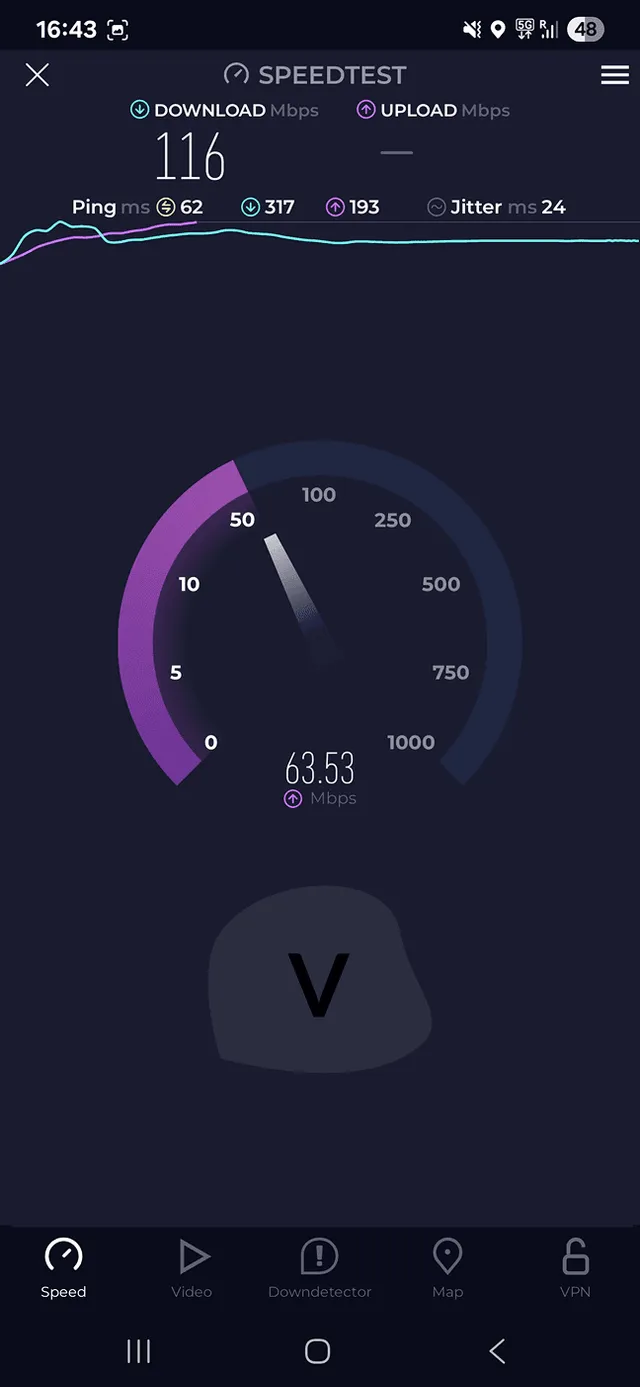
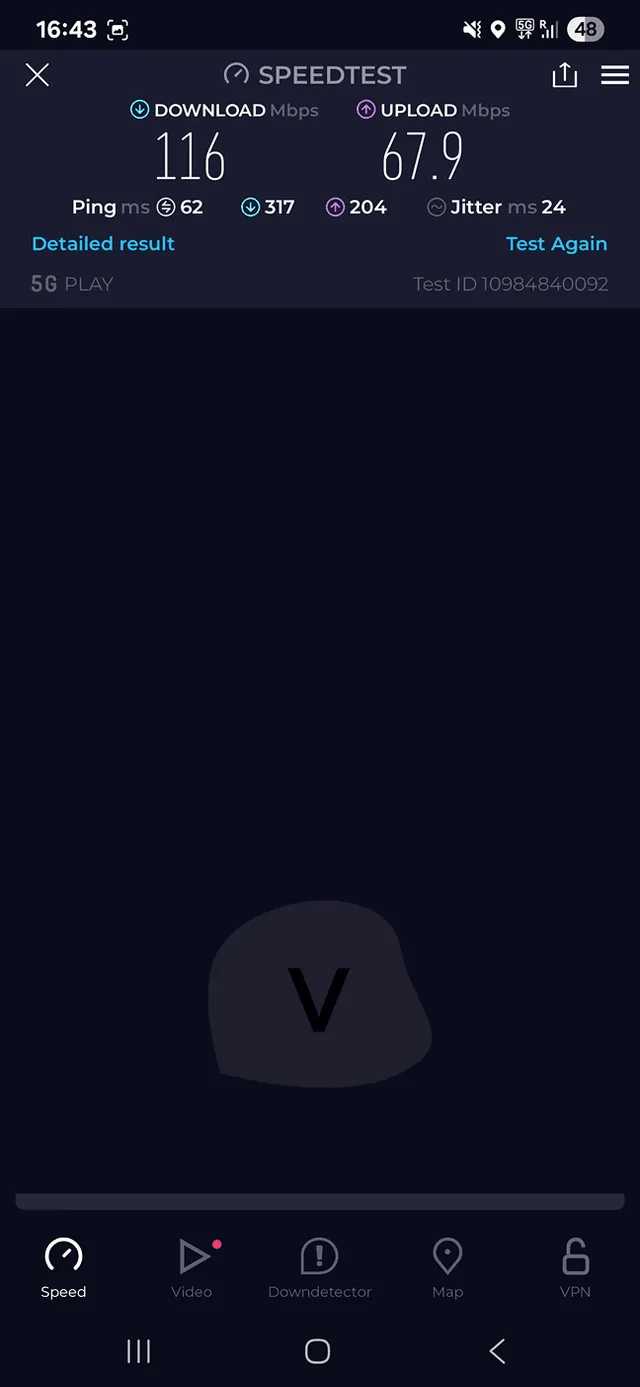
Just over 100 Mbps down on a 5G signal, later 50 Mbps. Usable, but well short of what 5G can do.
Verdict: Usable speeds, nowhere near the 5G ceiling. We measured just over 100 Mbps down at first, then 50 Mbps, on a 5G icon with nearly full bars.
We test every provider from the same spot in Czechia, on the same Android phone, with direct visibility to the tower. The Jetpac eSIM showed a 5G mark and nearly full signal, so the results below are what you get under near-ideal conditions. A 5G icon does not mean 5G speeds; our 4G vs 5G explainer says why.
| Measurement | Result |
|---|---|
| Download, first run | just over 100 Mbps |
| Upload, first run | 67 Mbps |
| Download, later run | 50 Mbps |
| Upload, later run | 60 Mbps |
| Signal | 5G, nearly full bars |
These are usable speeds for maps, video calls and streaming, but they fall well short of what 5G can do and point to throttling. In this case, having 5G did not mean high speeds.
Does Jetpac have 5G?
- In some places. Jetpac's homepage says LTE/4G with 5G in some places, and a help article marks 5G per operator for a subset of countries. In our comparison 849 of its 1,415 plans state 5G.
- Unlimited is often 4G only. 128 of its 341 single-country unlimited plans are 4G only, including the US, China, India, South Korea, Thailand, Vietnam and Türkiye.
- Unlimited slows after 3 GB. The first 3 GB every 24 hours runs at standard speed, then up to 1 Mbps until the cycle resets [3]. The homepage FAQ says there is no fair usage policy, which contradicts that, and the terms list only acceptable-use rules with no speed or data numbers [1].
- TikTok blocked. A help article says TikTok is unavailable in 15 countries, among them Japan, Thailand, Indonesia, Australia, South Korea and India.
What happens when your Jetpac data runs out
- Hard stop at the limit. Our connection dropped the instant we reached 1 GB, with no grace buffer and no warning at the cutoff. Other providers we tested let you finish a session or give a soft warning.
- Late SMS. An SMS warns you at 50% of your data, but it arrived about 1 hour late.
- Free apps. On packs of 3 GB or more, WhatsApp chat, Google Maps, Uber and Grab keep working after the data is gone [3].
- Plan ahead. Because the app needs data to sell you data, buy your next pack before you hit zero. Our guide to how much data you need for travel helps you pick the right size.
Jetpac prices and plan sizes

Prices
Unlimited packs sit at market price and 30 and 40 GB packs carry big discounts. Small fixed packs cost more than most rivals.
Verdict: Dear for 3 to 20 GB, at market for unlimited, and cheapest per GB at 30 or 40 GB. In 72% of countries the 30 GB pack costs less than the 20 GB one, so always compare both before you buy.
How much does Jetpac cost per GB?
Jetpac sells 1, 3, 5, 10, 15, 20, 30 and 40 GB country packs, plus a 50 GB global pack. The 1 GB pack usually lasts 4 days, 3 GB lasts 7 days and everything from 5 GB up lasts 30 days. 31 countries also get 1-day packs of 3, 5 or 10 GB. The table shows the median price across all Jetpac single-country plans in our comparison as of 2 Oct 2026.
| Pack | Typical validity | Median price | Median price per GB |
|---|---|---|---|
| 1 GB | 4 days | $7.00 | $7.00 |
| 3 GB | 7 days | $8.50 | $2.83 |
| 5 GB | 30 days | $10.00 | $2.00 |
| 10 GB | 30 days | $15.00 | $1.50 |
| 15 GB | 30 days | $21.00 | $1.40 |
| 20 GB | 30 days | $40.00 | $2.00 |
| 30 GB | 30 days | $34.50 | $1.15 |
| 40 GB | 30 days | $34.99 | $0.87 |
The ladder is irregular. Going from 15 GB to 20 GB doubles the price for a third more data. Going from 20 GB to 30 GB is $10.00 cheaper, because the 30 and 40 GB packs carry large discounts. In 40% of countries 1 GB costs as much as or more than 3 GB. The same data for 30 days instead of 1 day costs 1.6 to 1.8 times as much.
Jetpac prices for popular destinations
Jetpac's product pages showed the 30-day prices below in US dollars on 7 Oct 2026, with the Japan page as the cited example [3]. Many carry a struck-through "was" price, so treat them as that day's prices. The 20 GB pack cost more than the 30 GB pack on every page we checked.
| Pack, 30 days | Japan | USA | Europe | UK | South Korea | Southeast Asia | Africa |
|---|---|---|---|---|---|---|---|
| Unlimited | $65.99 | $67.99 | $65.99 | $65.99 | $65.99 | $65.99 | $495.50 |
| 5 GB | $10.00 | $12.99 | $16.00 | $12.00 | $11.00 | $15.00 | $29.99 |
| 10 GB | $16.00 | $19.00 | $22.00 | $17.00 | $17.00 | $25.00 | $49.99 |
| 15 GB | $21.00 | $22.00 | $27.00 | $21.00 | $22.50 | $31.99 | $95.00 |
| 20 GB | $40.00 | $35.00 | $40.00 | $35.00 | $43.00 | $55.00 | $101.00 |
| 30 GB | $29.99 | $29.99 | $29.99 | $25.00 | $34.99 | $44.99 | none shown |
| 40 GB | $34.99 | $34.99 | $34.99 | $29.99 | $44.99 | $59.99 | none shown |
On the 40 GB pack that works out to $0.75 per GB in the UK and $0.87 in Japan, the USA and Europe. South Korea comes to $1.12 and Southeast Asia to $1.50. The global pack costs $174.00 for 30 days of unlimited data or $249.00 for 50 GB over 365 days [4]. For the cheapest option at your size and destination, see every Jetpac plan next to its rivals or our cheapest eSIM comparison.
Is Jetpac unlimited data good value?
- Priced at market. Across 53 countries the median is $3.50 for 1 day, $12.99 for 3, $26.99 for 7, $41.99 for 15 and $65.99 for 30 days, in line with other providers.
- Best deals. Cheapest in Kazakhstan and India, and best value at 1 day and 15 days.
- Break-even. A 30-day unlimited pack costs 1.9 times the 40 GB pack, so it pays off only above roughly 75 GB a month.
- Mind the throttle and 4G. 3 GB per 24 hours at full speed, then up to 1 Mbps [3], and 128 of the 341 unlimited plans are 4G only.
Jetpac JetFlex and JetPro subscriptions
For frequent flyers Jetpac sells two subscriptions, described only in its help center. JetFlex gives 5 GB a month for $15.00 or 10 GB for $24.00 (quarterly $42.00 and $68.00) [10] across 99 countries [11]. JetPro bundles 7 GB a month with lounge passes for $45.00 a month or $128.00 a quarter. Both auto-renew with a 3-month minimum term and no data rollover, and the currency of the "$" prices is not stated.
Jetpac discounts and free data
- "% off" labels. 827 of the 1,415 Jetpac plans in our comparison carry a discount label (10 to 61% off, median 32%), and product pages had an "October offer" banner, so some prices may be promotions.
- Multi-pack discount. Unlimited packs: 15% off for 2, 18% off for 3, 20% off for 4 [3].
- Referral. $5.00 off your next pack and $5.00 off your friend's first purchase, on packs above $10.00 with no cap, according to Jetpac's help center.
- Jetpac Eterna. Jetpac's blog describes a permanent free eSIM with 100 MB per trip plus free WhatsApp, Uber, Grab and Google Maps.
How Jetpac compares on 10 GB, 30-day plans
All providers ranked by median price per GB for 10 GB, 30-day plans, the same basket in every Vefru provider review. It is the size where volume discounts start to matter, and Jetpac's only kick in at 30 and 40 GB.
Generated 20.10.2026 09:13
Jetpac prices against 13 other providers
The box below sums up Jetpac's price position against the market: its rank among fixed-data providers, how often it had the cheapest or dearest plan, and the countries at each end. "Cheaper" means more than 5% below the median for the same country, data amount and trip length; "pricier" means more than 5% above.
Jetpac prices
A reasonable buy for unlimited data and for 30 GB or 40 GB packs, which carry large discounts. For 3 GB to 20 GB, Jetpac is one of the dearest of 12 providers, and Europe and North America are its weakest regions.
Share of comparisons (same country, data amount and trip length) where Jetpac had the cheapest, or the most expensive, plan.
When Jetpac is a good deal
- 1 GB4-day packs only
- 3 GBpricier
- 5 GBpricier
- 10 GBpricier
- 20 GBpricier
- 50 GBmuch pricier*
- Unlimitedaverage
- South Americapricier
- Asiapricier
- Africapricier
- Europemuch pricier
- North Americamuch pricier
- Oceaniamuch pricier*
- Asia planaverage
- Europe planpricier
- Global planpricier
Its 1 GB packs last only 4 days, so they never qualify for a week-long trip. The 30 and 40 GB packs carry the discounts, which is why 20 GB often costs more than 30 GB.
Cheapest and most expensive countries
 Malaysia
 Algeria
 Oman
Oman Sri Lanka
 Saudi Arabia
 Hungary
 Kuwait
 China
China Taiwan
 Pakistan
 Austria
 Isle of Man
 Mauritius
 Jersey
 Puerto Rico
 Philippines
 Honduras
Based on all 1,415 Jetpac plans compared with 13 other providers for the same country, amount of data and trip length. How we compare prices (prices as of ).
Jetpac customer feedback

Customer feedback
Customers praise fast WhatsApp support and low prices. The recurring complaint is an eSIM that needs help from support before it connects.
Verdict: Customers are kinder to Jetpac than our test was: 4.7 on Trustpilot from 3,528 reviews. Fast WhatsApp replies and low prices earn the praise; eSIMs that need help before they connect draw the complaints.
Three ratings tell slightly different stories. Trustpilot sits at 4.7, Google Play at 4.1 from 1,110 ratings and the App Store at 4.0 from 219 ratings. The website claims 4.3 on both app stores, which neither store showed when we read them.
The box below sums up what keeps coming up in those reviews, with typical examples and the countries where customers report good experiences. For the same analysis across every provider we track, see our comparison of customer reviews.
What customers say about Jetpac
A summary of Trustpilot reviews and app store ratings, focused on the feedback that keeps coming up.
Rating on Trustpilot
Based on 3,528 reviews
What customers like and dislike
Often praised
Support answers within minutes on WhatsApp and real people fix most problems quickly
Prices are low and much cheaper than roaming with a home carrier
Once set up, the connection is fast and reliable in popular destinations
Often criticized
The eSIM often needs help from support or manual settings before it connects
Speeds can be slow outside big cities, and unlimited plans slow down after 3 GB a day
Harder problems can take hours or days to fix, often with the same advice repeated
Typical reviews
I purchased a data pack for Argentina. When I landed and connected to the e-sim, it wasn't working. I tried the troubleshooting suggestions on their app, but couldn't fix it, so I messaged jetpack on WhatsApp. They responded right away, the person who helped me was named Nel. After following their instructions to troubleshoot some more, they "restarted" my account and everything worked perfectly. From me trying to connect on my own until Nel finished helping me, approximately 15 minutes went by. To me, that's extremely quick. Even that I could get an initial response within maybe 1 minute of reaching out was such a relief.
Jetpack eSim worked perfectly as soon as we landed in Germany. Great coverage and speed. For a family of 4, our Australian telco would have charged $800 for our overseas trip but we all had 30Gb each for less than $200. We did one top up and it worked flawlessly. One phone ran out of data and would not connect to WhatsApp even though it was supposed to. Worked with support through WhatsApp and when they couldn't resolve the issue gave us a small complimentary amount of additional data for our last day. Highly recommend.
I recently travelled in Japan for a month and used JetPac's Japan 30GB pack since there were having a huge discount. I was impressed with the reliability and consistency wherever I travelled whether it was in Hokkaido or in Tokyo. So much so I ended up purchasing another 30GB x 2 for my next Japan adventure!
Very poor. Couldn’t get Jetpac to work in Taiwan. For two days I struggled. Customer service was very poor - didn’t get back to me for hours. Wasted lots of my own money trying to get connected and they wouldn’t refund the full balance left. This is the worse as they should admit their mistake and refund the full balance. Changed to Saily and now working perfectly. I would be very careful when choosing this company as customer service is poor when you need it the most.
Where customers report good experiences
 United States
 Japan
Japan Thailand
 United Kingdom
 South Korea
 Australia
 Morocco
 Canada
 Turkey
Jetpac coverage

Coverage
Traveler reports put Jetpac above the market average, best in Oceania and the UK. Germany, Switzerland and the Netherlands are the weak spots.
Verdict: Narrow catalog, solid results. Jetpac sells plans in 129 countries, the second-fewest of the providers we compare. Yet 732 of 830 traveler reports (88.2%) say it worked, against a market average of 85.3%.
Where does Jetpac work?
Jetpac's own numbers disagree with each other. The homepage and the apps say 200+ destinations, while the About page says 50 countries. The help center's coverage table for packs bought after 12 Sep 2024 lists 125 entries [6]. In our comparison as of 2 Oct 2026 Jetpac has single-country plans in 101 countries. It reaches 28 more, for example Singapore, Kenya and most Caribbean islands, only through regional packs.
The same help article names the network in seven key destinations [6]. Where more than one is listed, the eSIM connects to the strongest available network, per the homepage. Our guide to eSIMs with several networks explains how that switching works.
| Destination | Network |
|---|---|
| United States | Verizon |
| Japan | KDDI |
| United Kingdom | EE, 3, O2 |
| France | Free, Orange |
| China | China Unicom |
| South Korea | KT, SK Telecom |
| Thailand | AIS |
Jetpac coverage by country: what travelers report
- Strong. United Kingdom 37 of 38 reports (97%), Canada 25 of 26 (96%), Singapore 17 of 17 (100%), Türkiye 16 of 16 (100%), Japan 75 of 81 (93%), Indonesia 36 of 39 (92%) and Thailand 37 of 41 (90%).
- Best region. Oceania, 43 of 46 (93.5%) against a market average of 80.6%, the one region where Jetpac's lead is statistically clear.
- Mixed. United States 80 of 92 (87%), China 37 of 45 (82%), Spain 13 of 16 (81%), France 12 of 15 (80%) and Mexico 14 of 18 (78%). A backup is worth packing.
- Weak. Germany 10 of 15 (67%) against a market 90%, Switzerland 8 of 11 (73%), Netherlands 6 of 8 (75%) and South Africa 4 of 6 (67%). Pick another provider there.
- No data. 126 countries have reports for other providers but none for Jetpac, mostly in Sub-Saharan Africa, the Caribbean and Oceania. No reports is not the same as no coverage.
The box below shows the full picture: works rates by country, region and city, and how Jetpac compares with each rival in the same places. It also shows where reports are too few to judge.
Jetpac terms and conditions
Verdict: Short terms, updated 1 Mar 2024, that favor Jetpac: no refund once the eSIM is installed, 12 days to dispute an invoice, and no governing-law clause. A money-back guarantee exists, but only in one of the two T&C PDFs on the site.
We read three documents. They are the terms linked in the website footer [1], the "Refund Policy" PDF on product pages, and the data protection policy effective 27 Jan 2025 [2]. The refund PDF is the same text with the same date, minus the money-back section. The terms name Jetpac (Circles Global) Pte. Ltd. as the seller since 1 Mar 2024, with Liberty Wireless Pte. Ltd. before that, both subsidiaries of Circles Asia Pte. Ltd. [1]. The box sums up the clauses that matter to a traveler.
What's in the Jetpac terms and conditions
Terms that mostly favor Jetpac. Four clauses can cost you money, and two work in your favor.
Opens in a new tab- Red flag: Installed means used: no refund after installationOnce the eSIM is installed it counts as used; only a technical problem support cannot fix earns a refund, requested within 30 days of purchase.
- Red flag: Unused data is lost when the pack expiresNo refund or compensation for data left at the end of the validity period, and none at all if the problem is an incompatible phone.
- Red flag: Only 12 days to dispute an invoiceRaise a dispute within 12 days of receiving the invoice; later requests are reviewed case by case and a processing fee may apply.
- Red flag: Abuse or fraud ends the service with no refundJetpac can suspend or terminate the service without any refund where it sees reasonable evidence of abuse, fraud or a breach of the terms.
- Watch out: Conflicting documents are read in Jetpac's favorIf the documents making up your agreement conflict, the conflict is resolved in the way most favorable to Jetpac, as far as the law allows.
- Watch out: No governing law, court or arbitration clauseThe terms name no jurisdiction or dispute venue; only the data protection policy names Singapore's PDPA, Australia's Privacy Act and the GDPR as applicable laws.
- Watch out: Fair use means behavior, not data volumeThe terms ban spam, hacking and abuse but set no data or speed cap, so the throttle on unlimited packs rests on product pages, not on the terms.
- Watch out: Broad data collection, shared across the groupThe policy lists ID numbers, credit history, recorded calls and location data, usable by Circles group companies and transferable outside Singapore.
- Fair: Money-back guarantee if you cannot connectUp to 100% back if your phone cannot take the eSIM or cannot connect locally, claimable until 15 days after the pack expires, once support cannot fix it.
- Fair: No bad changes to a plan you already holdJetpac says it will not make changes that disadvantage you while you are on a plan, though plans cannot be modified after purchase either.
Sources: Terms and conditions, Refund policy (product-page version of the terms), Data protection policy (updated ). Our reading, not legal advice.
Frequently Asked Questions About Jetpac
Is Jetpac a reliable eSIM provider?
Does Jetpac offer unlimited data?
Can I make calls or send SMS with a Jetpac eSIM?
Jetpac eSIM not working? Try this first
What happens when my Jetpac data runs out?
Does Jetpac really give free lounge access when my flight is delayed?
How much Jetpac data do I need for a trip?
Jetpac review summary
Verdict: 7.3 out of 10. Jetpac gives you more than most eSIMs: voice packs, unlimited hotspot, free WhatsApp and Google Maps after the data runs out, lounge access on delays. But its website, app and support are not polished, and its fixed-data prices are among the highest we compare.
Jetpac keeps trying to give a bit more than the competition, and much of it works. Installation was simple, speeds were usable, the hotspot had no limit, and the in-app call to a colleague went through. Customers agree: 4.7 on Trustpilot and an 88% works rate in traveler reports.
What holds it back is everything around the data. The website loads slowly and hides the buy action, and the eSIM only arrives by email. The app lags and cannot sell you data once you are offline, and support took 8 minutes to reply. Fix those and Jetpac would sit near the top of our list.
That makes Jetpac a good fit for travelers who can solve a small problem on their own. It also suits anyone who wants features that few other providers sell.
Buy Jetpac if
- You want to call from the app. Voice packs from $1.99 for 5 minutes, and the option to link your own number.
- You need a hotspot without limits. No data cap on tethering, even on unlimited packs.
- You buy 30 or 40 GB. These packs carry the big discounts; a 30 GB pack costs less than 20 GB in 72% of countries.
- You fly a lot. SmartDelay lounge vouchers on delays of 1 hour or more, plus the JetFlex and JetPro subscriptions.
- You are heading to the UK, Japan, Thailand, Indonesia, Singapore, Türkiye, Canada, Australia or New Zealand. Those are the countries where traveler reports are strongest.
Look elsewhere if
- You want a smooth purchase and a polished app. Saily scored 9 for its app and 10 for support in our tests, against Jetpac's 5 and 5.
- You buy small or mid-sized packs. eSIM4Travel and Global YO cost about a third less than the typical provider in our comparison, and both are the cheapest at 5 to 20 GB.
- You are going to Germany, Switzerland, the Netherlands or South Africa. Jetpac's reports there are weak; Holafly and Maya Mobile report the best results in those countries.
- You want fast, friendly help. Our support test gave Jetpac 5 out of 10; see the three best support desks we tested.
- You need a country Jetpac does not sell. It covers 129 countries; Nomad and Ubigi cover 213 and 205.
That is the short version of our Jetpac review: strong features, weak polish. Our overview of tested eSIM providers ranks all 14 on the same scale, and the plan finder below shows every Jetpac plan for your destination.
Jetpac plans and prices
Pick your destination, or several countries for one trip, to see every Jetpac plan with live prices from our comparison tool. The list updates on its own, so the prices here are always current.
Showing 30 of 1,022 plans

- 1 day
 Malaysia
- App has calling functionality
- 1 day
 Spain
Spain- App has calling functionality
- 1 day
- Spain
- App has calling functionality
- 1 day
 Thailand
- App has calling functionality
- 4 days
- Malaysia
- App has calling functionality
- 4 days
- Thailand
- App has calling functionality
- 1 day
- Thailand
- App has calling functionality
- 7 days
 Bulgaria
- App has calling functionality
- 4 days
- Thailand
- App has calling functionality
- 3 days
 Italy
Italy- App has calling functionality
- 30 days
- Malaysia
- App has calling functionality
- 7 days
- Thailand
- App has calling functionality
- 3 days
- Italy
- App has calling functionality
- 1 day
- Thailand
- App has calling functionality
- 30 days
- Bulgaria
- App has calling functionality
- 4 days
- Thailand
- App has calling functionality
- 30 days
 India
India- App has calling functionality
- 28 days
 Romania
- App has calling functionality
- 7 days
- Thailand
- App has calling functionality
- 30 days
 Portugal
- App has calling functionality
- 7 days
- Thailand
- App has calling functionality
- 30 days
- Thailand
- App has calling functionality
- 14 days
- Italy
- App has calling functionality
- 30 days
 Ukraine
- App has calling functionality
- 14 days
- Italy
- App has calling functionality
- 30 days
- Bulgaria
- App has calling functionality
- 21 days
- Italy
- App has calling functionality
- 21 days
- Italy
- App has calling functionality
- 180 days
 Pakistan
- App has calling functionality
- 30 days
- Italy
- App has calling functionality
Sources
We cite only Jetpac's own product pages, help center articles and legal documents.
Links last checked
Opens in a new tabOfficial provider pages
-
1
Jetpac Global Terms and Conditions
The refund, dispute, fair-usage and company clauses summarized in the Legal section, as stated by Jetpac.
-
2
Jetpac Global Data Protection Policy
The data collection, sharing and applicable-law points in the Legal section, as stated by Jetpac.
-
3
Japan eSIM (product page)
Japan prices, the 3 GB per 24 hours unlimited rule, free apps after data runs out, hotspot, payment logos, multi-pack discount and the 3-month holding period, as stated by Jetpac.
-
4
Global eSIM (product page)
The global unlimited and 50 GB prices in the Prices section, as stated by Jetpac.
-
5
Voice
Voice pack prices, validity, the temporary number and the country count, as stated by Jetpac.
-
6
Where can I use the roaming data in?
The 125-entry coverage table and the named operators in the Coverage section, as stated by Jetpac.
-
7
Airport Experience & Lounge Passes
The SmartDelay rules (threshold, registration deadline, companions, vouchers, exclusions) in the app section, as stated by Jetpac.
-
8
Contact us
The WhatsApp number, email address and reply times in the Support section, as stated by Jetpac.
-
9
How do I start using Jetpac?
When a pack activates and how the one reusable eSIM works, in the Installation section, as stated by Jetpac.
-
10
What subscription plans are available for JetFlex?
The JetFlex subscription prices in the Prices section, as stated by Jetpac.
-
11
What countries does Jetflex cover?
The 99 JetFlex countries in the Prices section, as stated by Jetpac.