eSIM Guides and Tutorials: Everything About the Technology, Installation, and Usage
These free eSIM guides take you from first question to working connection. Learn what an eSIM is and check whether your phone supports one. Pick the right data size, install on iPhone or Samsung, and fix the most common problems. Every tutorial is written and kept up to date by people with telecom backgrounds, with screenshots from real devices.
eSIM guides in the order you will need them
New to eSIM? Start at the top. Already have a plan? Jump straight to installing or fixing. Each step has one main starting point and a few extras if you want more detail.
Learn the basics
What an eSIM is, how it differs from a plastic SIM, and why it beats roaming.
Check your phone
Most recent iPhones and flagship Androids have one. Cheaper models often do not.
Plan your data
Pick the right data size before you pay, not after you run out on day four.
Buy the right plan
Search 30,000+ plans for your destination, sorted by price. Cheap does not mean slow.
Install it
Numbered steps with screenshots from real phones. Most installs take under ten minutes.
Fix problems
No signal after landing? It is usually a setting, not the eSIM.
Free eSIM tools
No sign-up. They run in your browser.
- Travel data calculatorAnswer a few questions about your habits and get a recommended data size for your trip in about a minute.
- Plan comparison toolSearch 30,000+ plans for one country or a whole route, sorted by price.
- Activation code to QR codeGot a manual activation code instead of a QR? Convert it to a scannable code and install as usual.
What does 2, 5 or 10 GB get you?
Rough numbers for one person. Maps, messaging, and browsing use little. Video eats data fast.
- 2GBA long weekend in one cityMaps, messaging, and light browsing. Skip video and it stretches to a week.
- 5GBA week, most holidaysAdds social media and photo sharing. Enough for a typical week across two or three cities.
- 10GBTwo weeks or a road tripVideo calls, some streaming, and maps running all day. The safe pick for a longer trip.
Technology explained
Written by people who worked in telecom, for people who want to know why, not just how.
How we write these eSIM tutorials
Every tutorial is tested before it goes live. We follow each step on real iPhones and Android phones and take screenshots as we go. After major system updates, we run through it again. If a step does not work on our own devices, it does not go in the guide.
Each guide shows a last-updated date, so you know the screenshots match what you see on your screen today.
Know the basics? Put them to work
The comparison tool searches 30,000+ eSIM plans for more than 200 destinations, sorted by price. It also finds one eSIM for a trip through several countries, which most comparison sites cannot do.
Quick answers about eSIM
What is an eSIM?
An eSIM is a digital SIM built into your phone, so there is no plastic card to insert. You buy a data plan online, activate it by scanning a QR code, and your phone connects to a local network. It is faster and cheaper than hunting for a SIM card at the airport.
How do I install an eSIM?
Usually you scan a QR code from your provider or tap Install in the provider's app. Some providers, like Saily and GoMoWorld, install only through their app, with no QR code. To scan a code on iPhone, open Settings, then Cellular, then Add eSIM. On Samsung, open Settings, then Connections, then SIM manager. Our guides for iPhone and Samsung walk you through every screen with pictures.
How much data do I need for a week abroad?
Around 1 to 2 GB covers maps, messaging, and light browsing for a week. Add more if you stream video, make video calls, or share a lot of photos. Our data guide and free calculator give you a personal estimate in seconds.
Why is my eSIM not working?
The most common cause is data roaming turned off. After that, check your APN setting (the address your phone uses to reach the network) and whether manual network selection is stuck on the wrong carrier. With some providers, like GoMoWorld, you also have to start the plan in their app. Our troubleshooting guide fixes the five most common issues in minutes.
Bookmark these eSIM guides for your next trip. When you are ready to buy, the comparison tool shows every plan for your destination, sorted by price. The technical part of your trip is sorted before you pack.
All articles

Your First eSIM: From Phone Check to Working Data in 5 Steps
Your first eSIM takes less than ten minutes to set up at home on Wi-Fi. An eSIM is a digital SIM b
by František Macháček
Updated: Sep 25, 2026

Is 10 GB of Data Enough? Here's What You Can Actually Do With It
Thinking about a 10 GB data eSIM but not sure if it's enough? You don't have to guess. How far 10
by František Macháček
Updated: Aug 13, 2026

2 GB eSIM Data: How Much Is It and Is It Enough?
Thinking about a 2 GB data eSIM but not sure if it will be enough? No need to guess! How far 2 GB
by František Macháček
Updated: Aug 13, 2026
eSIM statistics
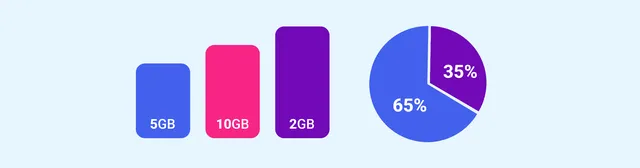
This page shows live eSIM pricing data from the Vefru database. All charts are built from real plan
by František Macháček
Updated: Aug 13, 2026

How Much Data Do I Need? Travel Data Calculator for Perfect Plans
Wondering how much data do I need for your smartphone or tablet? Our data usage calculator c
by František Macháček
Updated: Aug 13, 2026

Huawei eSIM Watch: Complete Overview of All eSIM Models in 2025
Key Takeaways Huawei offers multiple smartwatch models with eSIM support that allow you to s
by Jan Procházka
Updated: Aug 13, 2026

Cheapest eSIM 2026: Independent Price Comparison from $0.50
by František Macháček
Updated: Aug 13, 2026

eSIM vs SIM: Is eSIM Worth It? Detailed Comparison
by Jan Procházka
Updated: Aug 13, 2026

4G vs. 5G What is the difference and is it worth looking for 5G?
by František Macháček
Updated: Aug 13, 2026

Portable WiFi Hotspots 2026 | comparison, benefits, and best models
by František Macháček
Updated: Aug 13, 2026
7 Best Phones with eSIM for 2025: Complete Buying Guide
by Jan Procházka
Updated: Aug 13, 2026

4G vs. LTE: What’s the Difference and Why It Matters
by František Macháček
Updated: Aug 13, 2026
Cheapest Phones with eSIM in 2026: 7 Picks and How Many eSIMs Each Runs
by Jan Procházka
Updated: Sep 26, 2026

eSIM Not Working? Fix 5 Common Issues in Minutes [2026 Guide]
by Jan Procházka
Updated: Aug 13, 2026

Why have an eSIM with multiple networks + How to switch operators (iPhone/Android 2026)
by Jan Procházka
Updated: Aug 13, 2026

How much is 5 GB of data? A simple explanation with examples.
by František Macháček
Updated: Aug 14, 2026

Does your phone support eSIM? List of phones with eSIM support.
by František Macháček
Updated: Sep 26, 2026

How to easily convert an activation code for manual eSIM entry into a QR code?
by František Macháček
Updated: Aug 21, 2026

How to effectively save data on vacation?
by František Macháček
Updated: Aug 14, 2026

Free eSIM 2026: 7 Best Free Data Plans Compared
by František Macháček
Updated: Aug 14, 2026

How much data do I need: A simple guide
by František Macháček
Updated: Aug 14, 2026

eSIM – Frequently Asked Questions and Answers
by František Macháček
Updated: Aug 14, 2026

How do I add an eSIM on my Samsung?
by František Macháček
Updated: Aug 14, 2026

How do I add an eSIM on my iPhone?
by František Macháček
Updated: Aug 14, 2026

How to make your phone eSIM compatible? Review of eSIM.me
by František Macháček
Updated: Aug 14, 2026

Complete eSIM Guide 2026: Everything You Need to Know
by František Macháček
Updated: Aug 14, 2026